9 Best OCR Software for Invoice Processing in 2025: Your Ultimate Guide to Effortless AP Automation
Hi, I’m Ajitkumar Gupta, founder of TrustMySoftware.com. As a “software detective” with over five years in the digital trenches, I’ve seen firsthand how the right tools can transform a business. Manual invoice processing is a common headache, but powerful OCR software can turn that pain into significant gains.
Tired of endless paper and manual data entry for invoices? This guide reveals the nine best OCR software for invoice processing in 2025. We’ll explore how Optical Character Recognition (OCR) technology automates invoice data capture, slashes errors, saves you money, and frees up your team for more important work. I’m here to share clear, honest insights to help you find a solution your business can genuinely trust. Let’s dive in and find the perfect fit for your needs!
In today’s fast-moving business world, every minute and every dollar counts. If your accounts are payable (AP) team is still wrestling with stacks of paper invoices or manually typing data into spreadsheets; you’re likely losing both. But there’s a powerful solution: OCR software for invoice processing.
This isn’t just about scanning documents. It’s about innovative technology that reads, understands, and organizes your invoice data automatically. Imagine slashing the time spent on each invoice from minutes to mere seconds. Think about eliminating costly data entry errors. Picture having real-time visibility into your spending. This is the power OCR brings to your financial operations.
In this comprehensive guide, we’ll explore:
- What OCR technology for invoices really is (in simple terms!).
- The game-changing benefits it offers your business.
- The essential (and advanced) features you should look for.
- My in-depth reviews of the top 9 OCR software solutions for 2025.
- A practical guide to implementing OCR smoothly.
- Future trends in invoice automation.
My goal at TrustMySoftware.com is to cut through the hype and give you the clear, honest insights you need. Let’s find the OCR software that will not only fit your needs but also become a trusted partner in your business growth.
What is OCR Software for Invoice Processing?
Let’s start with the basics. “OCR” stands for Optical Character Recognition. Think of it like a super-smart assistant that can read text from images or scanned documents and turn it into usable digital data.
When we talk about OCR software for invoice processing, we mean specialized tools that use this technology to pull important information from your invoices automatically. This could be from a paper invoice you’ve scanned, a PDF attachment in an email, or even a photo of an invoice taken on a phone.
How Does It Actually Work? (In Simple Terms)
You don’t need to be a tech wizard to understand the magic behind OCR. Here’s a simplified look at the process:
- Invoice Ingestion: You feed the invoice into the system. This could be by scanning a paper copy, uploading a digital file (like a PDF or JPG), or even forwarding an email with an invoice attachment.
- Image Pre-processing: The software cleans up the image to make it easier to read. This might involve straightening a skewed picture, removing speckles or “noise,” or improving the contrast.
- Character Recognition: This is where the “OCR” part happens. The software analyzes the shapes on the page and identifies them as letters, numbers, and symbols. Advanced systems use Artificial Intelligence (AI) to get better at this over time.
- Data Extraction: The software doesn’t just read the text; it understands what it’s looking for. It identifies and pulls out key pieces of information like:
- Invoice Numbers
- Vendor Name
- Invoice Date & Due Date
- Purchase Order (PO) Number
- Total Amount
- Line items (description, quantity, price per unit, total for each item)
- Taxes and other charges
- Validation (Optional but Recommended): Good OCR software will often check the extracted data against specific rules or databases. For example, it might verify that the sum of line items matches the total amount or check the vendor details against your existing vendor list.
- Data Export/Integration: Once the data is captured and validated, it can be automatically sent to your accounting software (like QuickBooks, Xero, Sage), Enterprise Resource Planning (ERP) system (like SAP, Oracle NetSuite), or document management system.
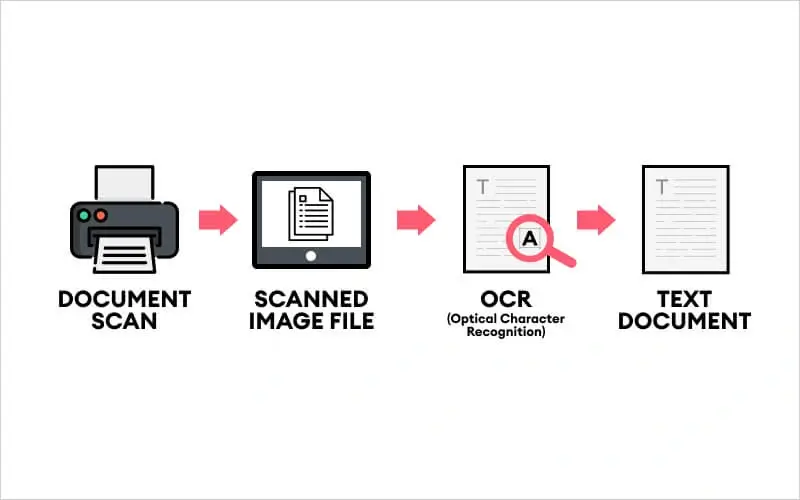
Think of it like this: If manual invoice processing is like painstakingly copying a book by hand, OCR software is like having a high-speed scanner and a brilliant proofreader who instantly digitizes and organizes the entire book for you.
At TrustMySoftware.com, we believe understanding the “how” helps you appreciate the “why.” This technology isn’t just a fancy add-on; it’s a fundamental shift in how businesses can handle a critical financial process.
Why Your Business Can’t Afford to Ignore OCR for Invoices
Still on the fence about OCR? Let’s talk about the real-world impact. Adopting OCR for invoice processing isn’t just about keeping up with technology; it’s about unlocking significant, measurable benefits for your business. From saving money to empowering your team, the advantages are compelling.
Skyrocket Efficiency: Slash Time & Costs Dramatically
This is often the biggest draw for businesses, and for good reason.
- Massive Time Savings: Manual data entry is slow. Industry studies often show it can take anywhere from 5 to 20 minutes to process a single invoice manually. With OCR, this can be reduced to seconds or a minute at most (often just for quick verification). Imagine your AP team processing hundreds, or even thousands, of invoices. The time saved adds up incredibly fast!
- Our Insight: I’ve seen businesses reclaim hundreds of hours per month. This isn’t just an abstract number; it’s time your skilled finance team can redirect to more strategic activities like financial analysis, cash flow forecasting, or vendor negotiations.
- Drastic Cost Reduction: Time is money. The cost of manually processing an invoice can range from $5 to over $15, depending on labor costs, error rates, and process complexity. Some reports from industry analysts like Ardent Partners suggest even higher figures for inefficient processes. OCR can slash this cost by up to 80%.
- (Actionable Tip: Calculate your current cost per invoice. Multiply your average processing time by your AP staff’s hourly wage. This will give you a baseline to compare against potential OCR savings.)
- Capture Early Payment Discounts: Faster processing means you can take advantage of early payment discounts offered by vendors. These 1-2% discounts might seem small, but they can add up to significant savings over a year.
- Reduced Labor Costs: While OCR doesn’t always mean reducing headcount, it allows you to handle a growing volume of invoices without needing to hire more data entry staff. This improves scalability and controls overhead.
Achieve Pinpoint Accuracy: Bye-Bye, Costly Errors
Humans make mistakes. It’s natural, especially with repetitive tasks like data entry. However, in invoice processing, these errors can be expensive.
- Eliminate Typos and Misinterpretations: OCR systems, especially those powered by AI, are far less prone to typos, transpositions, or misread data that can plague manual entry.
- Prevent Overpayments and Duplicate Payments: Incorrect amounts or missed duplicate invoices can lead to significant financial loss. OCR software can flag inconsistencies and potential duplicates automatically.
- Improve Data Consistency: Automated extraction ensures data is entered in a standardized format, improving the quality and reliability of your financial records.
- Reduce Reconciliation Headaches: Accurate data from the start means fewer discrepancies to investigate and resolve later, saving your accounting team valuable time during month-end closing. Insight: I’ve spoken with businesses that discovered they were losing thousands annually due to minor, repeated errors in manual processing. OCR put a stop to that almost overnight.
Gain Crystal-Clear Visibility & Control Over Your Finances
Manual processes often mean invoices are sitting on desks, lost in email inboxes, or stuck in bottlenecks. OCR brings transparency.
- Real-Time Invoice Tracking: Know the status of every invoice, from receipt to payment. Most OCR solutions offer dashboards that provide an at-a-glance view of your AP pipeline.
- Better Cash Flow Management: With accurate and timely data on your payables, you can forecast cash flow more effectively and make smarter financial decisions.
- Improved Audit Trails: Digital capture and processing create a clear, easily searchable audit trail for every invoice. This makes internal and external audits much smoother and less stressful.
- Enhanced Fraud Detection: Some OCR systems have features to flag suspicious invoices or unusual vendor activity, adding a layer of security. Consistent data capture also makes it easier to spot anomalies manually.
Empower Your Team & Boost Morale
Nobody enjoys tedious, repetitive data entry. It’s often a source of frustration and burnout.
- Focus on Higher-Value Work: By automating the grunt work, OCR frees up your finance and AP professionals to focus on tasks that require their analytical skills and expertise. This can include vendor relationship management, strategic sourcing, financial planning, and process improvement initiatives.
- Increased Job Satisfaction: Engaging in more meaningful work leads to higher job satisfaction and employee retention.
- Our Insights: It’s fantastic to see the shift in an AP team’s demeanor when they move from being “data enterers” to “financial controllers.” They feel more valued and more impactful.
Investing in OCR isn’t just an IT upgrade; it’s a strategic business decision that pays dividends across your organization.
Choosing Wisely: Key Features to Look for in OCR Invoice Software
With so many OCR solutions on the market, how do you pick the right one? It’s not just about the fanciest features; it’s about the right features for your business. As your “software detective,” I’ve broken down what you should prioritize.
The Must-Haves: Core Capabilities for Success
These are the foundational features. If a solution doesn’t do these well, keep looking.
- High Data Extraction Accuracy: This is paramount. The software should consistently and accurately capture key data fields (invoice number, date, vendor, total, and line items). Look for vendors who are transparent about their accuracy rates (often 95-99%+, especially with AI).
- Ask vendors: How is accuracy measured? What happens with characters or fields that can’t be read confidently?
- Invoice Format Versatility: Your business likely receives invoices in various formats:
- Paper scans (PDF, TIFF, JPG)
- Email attachments (PDF, Word documents)
- Digitally born PDFs (often easier to process)
- The software should handle all common types and, ideally, even less common ones without you needing to convert them first.
- Line-Item Extraction: For many businesses, just capturing the invoice total isn’t enough. You need details about what was purchased – descriptions, quantities, unit prices, and line totals. This is crucial for accurate cost allocation and inventory management.
- Our Insight: Don’t underestimate the importance of good line-item capture. It’s often a differentiator between basic and handy OCR tools.
- Automated Validation Rules: The software shouldn’t just extract data; it should help verify it.
- This can include Matching PO numbers against your purchasing system.
- Verifying vendor details against your master vendor file.
- Checking for duplicate invoice numbers.
- Ensuring mathematical accuracy (e.g., line items sum to the subtotal, taxes are calculated correctly).
- Seamless Integration Capabilities: The OCR software must play nicely with your existing financial ecosystem. Look for:
- Pre-built connectors For popular accounting software (QuickBooks, Xero, Sage Intacct) and ERPs (NetSuite, SAP, Microsoft Dynamics).
- Robust APIs (Application Programming Interfaces): For custom integrations if needed.
This ensures data flows smoothly without manual re-entry, which defeats the purpose of automation.
- User-Friendly Interface (UI): If the software is clunky or hard to use, your team won’t adopt it effectively. Look for an intuitive design, straightforward navigation, and an easy-to-understand dashboard.
- (Actionable Tip: Always ask for a live demo and, if possible, a trial period to test the UI with your own team and sample invoices.)
The Game-Changers: Advanced Features for Power Users & Future Growth
Once the essentials are covered, these advanced features can provide even more value and efficiency.
- Artificial Intelligence (AI) and Machine Learning (ML): This is where modern OCR truly shines.
- Adaptive Learning: AI-powered systems learn from corrections and new invoice layouts over time, continuously improving accuracy without needing you to create templates for every vendor manually.
- Reduced Template Dependency: Traditional OCR often relied heavily on pre-defined templates. AI reduces or eliminates this need, making the system more flexible.
- Human-in-the-Loop (HITL) Validation: Even the best AI isn’t perfect 100% of the time. HITL workflows flag exceptions or low-confidence extractions for a human to quickly review and confirm. This ensures accuracy without bogging down the whole process.
- Multi-Language and Currency Support: Essential for businesses operating internationally or dealing with overseas vendors. The software should accurately recognize and process invoices in various languages and handle multiple currencies, including conversion if needed.
- Mobile Accessibility: The ability to capture invoices on the go (e.g., snapping a photo of a receipt or invoice with a smartphone app) and approve invoices remotely can be a massive plus for field staff or busy executives.
- Customization and Scalability:
- Customizable Workflows: Can you tailor the approval process to match your company’s policies?
- User Roles and Permissions: Can you control who sees what and who can approve invoices?
- Volume Handling: Will the system grow with your business as your invoice volume increases? Cloud-based solutions often excel here.
- Advanced Analytics and Reporting:
- Average processing time per invoice
- Number of exceptions
- Spend by vendor or category
- Early payment discount capture rate
These insights can help you further optimize your AP processes.
Choosing the right features is about balancing your current needs with your future aspirations. At TrustMySoftware.com, we advise clients to prioritize robust core functionality and then layer in advanced features that provide a clear ROI.
The Top 9: Best OCR Software for Invoice Processing in 2025 (My In-Depth Reviews)
Alright, this is the part you’ve been waiting for! As your software detective, I’ve explored the many software to bring you my top picks for OCR invoice processing software in 2025. My methodology includes analyzing features, user-friendliness, AI capabilities, integration options, customer support, and overall value for different types of businesses.
A Quick Note on “Best”: The “best” software is subjective and depends heavily on your specific business size, industry, invoice volume, technical resources, and budget. I’ll highlight who each tool is generally best suited for.
1. Nanonets – Best for AI-Powered Customization & Ease of Use
- Overview: Nanonets stands out with its powerful AI that can be trained on specific invoice layouts with relatively little data. It’s designed to reduce manual data entry significantly. It prides itself on a user-friendly interface that doesn’t require a data science degree to operate.
- Key Invoice Processing Features:
- AI-driven data extraction that learns from your invoices.
- The no-code platform for building custom OCR models if needed.
- Handles a wide variety of document types, including unstructured invoices.
- Automated workflows for approvals and data export.
- Suitable for line-item extraction.
- Integrations with popular ERPs, accounting software, cloud storage (Google Drive, Dropbox), and Zapier.
- Pros:
- Impressive Learning Curve: The AI genuinely gets smarter with usage, adapting to new invoice formats quickly.
- User-Centric Design: It’s one of the easier platforms to get started with, even for less technical teams.
- Flexible Workflows: You can build out approval processes that match your internal needs quite well.
- Responsive Support: Users often praise their customer support team.
- Cons:
- Pricing for Very Low Volumes: While competitive, entry-level pricing might be a stretch for businesses with extremely low invoice volumes (e.g., less than 100/month).
- Advanced Reporting: While it offers reporting, some larger enterprises might seek even more granular analytics out of the box.
- Pricing Model: Typically usage-based (per document/page) with different tiers. They offer custom plans for higher volumes.
- Who is it best for?: Small to medium-sized businesses (SMBs) and mid-market companies looking for a powerful, adaptable AI solution that’s easy to implement and manage. Great for companies that want to automate more than just invoices (e.g., purchase orders, receipts).
- Our Insight: Nanonets shines in its ability to handle “messy” or highly variable invoice formats where traditional template-based OCR struggles. If your vendors send you invoices in all shapes and sizes, Nanonets is a strong contender.
2. Rossum – Best for High-Volume, Complex Invoice Environments
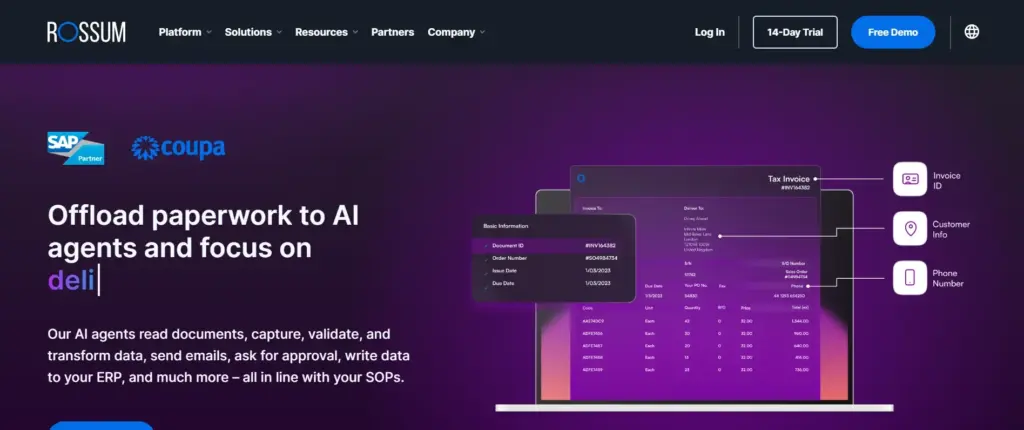
- Overview: Rossum positions itself as a “cognitive data capture” platform. It uses a sophisticated AI engine designed to understand invoice layouts like a human would, minimizing the need for templates from day one. It’s built for speed and accuracy, especially with diverse invoice types.
- Key Invoice Processing Features:
- Self-learning AI that adapts to any invoice layout without manual setup.
- Focus on high accuracy straight out of the box.
- Real-time validation and exception handling queues.
- Advanced line-item and table extraction.
- Seamless integration with major ERPs (SAP, Oracle, etc.) and accounting systems.
- Customizable extensions and API for tailored workflows.
- Pros:
- Template-Free Approach: This is a huge time-saver, especially for businesses with hundreds or thousands of vendors. The AI’s ability to “just read” is impressive.
- Accuracy on Complex Docs: Rossum performs well with dense or poorly structured invoices.
- Scalability: Built to handle large volumes, making it suitable for growing companies and enterprises.
- User Interface for Validation: The interface for human reviewers to quickly check flagged fields is well-designed and efficient.
- Cons:
- Initial Learning Curve for Admins: While the AI learns on its own, setting up advanced configurations or custom integrations might take some initial effort.
- Pricing: It’s a premium solution, so that it might be on the higher end for tiny businesses.
- Pricing Model: Subscription-based, often tailored to invoice volume and feature requirements. Request a quote.
- Who is it best for?: Medium to large enterprises, shared service centers, or any business processing a high volume of diverse and complex invoices. Companies that prioritize cutting-edge AI and minimal manual setup.
- Our Insight: Rossum’s AI feels a step ahead in terms of “understanding” document context rather than just recognizing characters. If template-heavy OCRs have burned you in the past, Rossum’s approach will feel like a breath of fresh air.
3. ABBYY FlexiCapture – Best for Enterprise-Grade, Customizable OCR
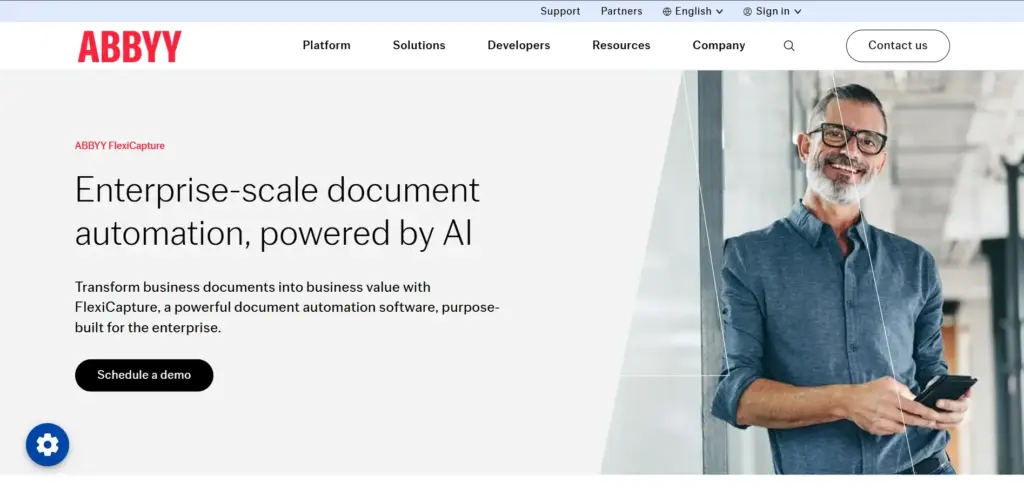
- Overview: ABBYY is a long-standing leader in OCR technology. FlexiCapture is their enterprise-grade intelligent document processing platform. It’s incredibly powerful and versatile, capable of handling a vast range of document types and complex processing workflows, including invoices.
- Key Invoice Processing Features:
- Highly accurate OCR engine with advanced image pre-processing.
- Supports structured, semi-structured (like invoices), and unstructured documents.
- Visual workflow designer for creating custom processing logic.
- Extensive document classification and data extraction capabilities.
- Pre-built invoice processing solutions and templates that can be customized.
- Strong multi-language support.
- Robust integration options, including RPA connectivity.
- Pros:
- Unmatched Accuracy and Power: ABBYY’s core OCR technology is top-tier, especially for challenging documents.
- Extreme Customizability: You can tailor almost every aspect of the capture and workflow process.
- Scalability for Large Enterprises: Designed to handle very high volumes and complex organizational structures.
- Industry-Specific Solutions: ABBYY often has solutions tailored for specific sectors like finance, healthcare, and logistics.
- Cons:
- Complexity: Its power comes with complexity. It usually requires specialized expertise or partner involvement to implement and maintain effectively. It’s not a plug-and-play solution for small teams.
- Cost: Licensing and implementation costs can be significant, making it more suited for larger organizations.
- Steeper Learning Curve: Users and administrators will need thorough training.
- Pricing Model: Quote-based, typically involving licenses, implementation services, and maintenance fees.
- Who is it best for?: Large enterprises or organizations with very complex, high-volume document processing needs that require deep customization and have IT resources to support them.
- Our Insight: Think of ABBYY FlexiCapture as the heavy-duty industrial machinery of OCR. If you need raw power, incredible precision for diverse documents beyond just invoices, and have the resources to wield it, FlexiCapture is a formidable option.
4. Docparser – Best for Simple, Template-Based Extraction for SMBs
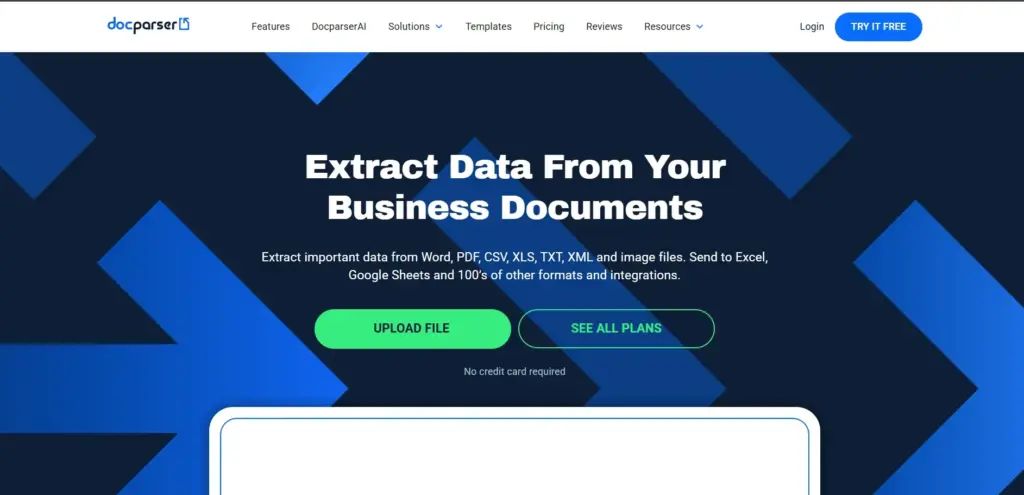
- Overview: Docparser offers a more straightforward, template-based approach to document data extraction. It’s designed for users who want to set up parsing rules for their recurring invoice layouts quickly and easily without needing AI expertise.
- Key Invoice Processing Features: Visual editor for creating parsing rules (defining where to find data on an invoice).
- Handles PDF and scanned documents.
- Suitable for extracting data from structured and semi-structured invoices.
- Integrations with hundreds of apps via Zapier, Workato, and direct integrations (e.g., Google Sheets, Salesforce).
- Cloud-based and accessible.
- Pros:
- Ease of Use for Templating: Setting up rules for specific invoice layouts is intuitive if your invoices are relatively consistent.
- Affordable Pricing: Generally more budget-friendly, especially for lower volumes.
- Wide Range of Integrations: The ability to connect to many other cloud services is a big plus for SMBs.
- Quick Setup: You can be up and running relatively fast for standard invoice formats.
- Cons:
- Reliance on Templates: If you have many vendors with wildly different invoice formats, managing templates can become cumbersome. AI-based solutions handle variability better.
- Accuracy on Poor Quality Scans: You may struggle more with very low-quality images or highly complex layouts compared to AI-driven tools.
- Limited AI Capabilities: It’s more about rule-based extraction than intelligent learning.
- Pricing Model: Tiered monthly subscriptions based on document volume and features. Offers a free plan for very low usage.
- Who is it best for?: Small businesses, startups, or departments that deal with a manageable number of vendors with relatively consistent invoice formats and prioritize ease of setup and affordability.
- Our Insight: If your invoice processing needs are straightforward, and you prefer the control of explicitly defining where data is, Docparser offers a no-fuss, cost-effective way to automate extraction. It’s a great entry point into OCR.
5. DocuPhase – Best for Integrated Document Management & Workflow Automation
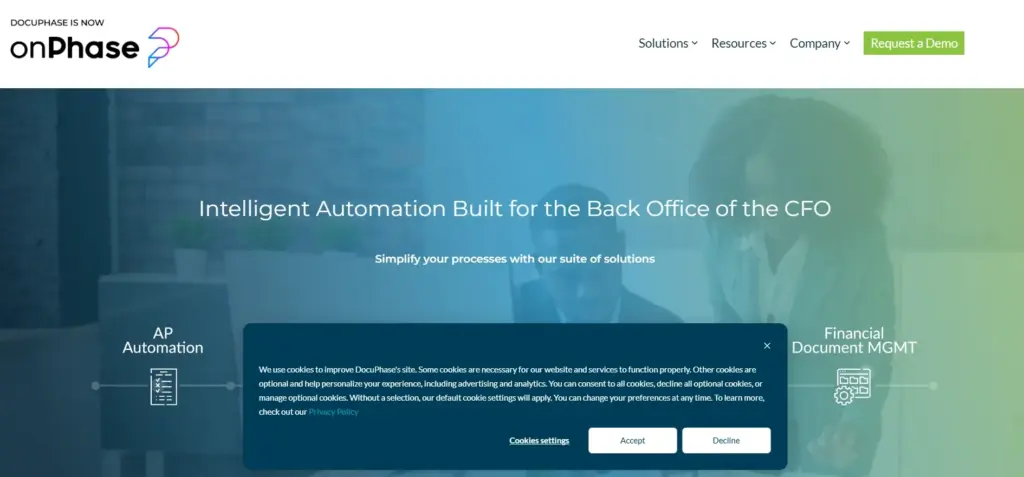
- Overview: DocuPhase is more than just an OCR tool; it’s a comprehensive Enterprise Automation Platform that includes document management, workflow automation, and data capture (OCR). Its strength lies in integrating invoice processing into broader business processes.
- Key Invoice Processing Features:
- Advanced OCR for data extraction from invoices.
- Integrated document management system for secure storage and retrieval.
- Powerful workflow automation engine to route invoices for approval, coding, and payment.
- Human validation steps within workflows.
- Integration with ERP and accounting systems.
- Pros:
- Holistic Approach: Manages the entire lifecycle of an invoice, not just the data capture.
- Strong Workflow Capabilities: Excellent for designing complex approval chains and business rules.
- Scalability: Can support businesses from mid-market to enterprise.
- Focus on Compliance and Audit Trails: The document management aspect is robust.
- Cons:
- Can Be Overkill for Simple Needs: If you only need OCR for data extraction and have other systems for workflow/storage, it might be more platform than you require.
- Implementation Time: As a broader platform, full implementation can take more time and planning.
- Pricing: Reflects its comprehensive nature so that it may be a larger investment.
- Pricing Model: Quote-based, tailored to modules selected and business size.
- Who is it best for?: Mid-sized to larger companies looking for an integrated solution that combines OCR with robust document management and workflow automation for their entire AP process and potentially other document-heavy processes.
- Our Insight: DocuPhase is a strong choice if your goal is to digitally transform your entire accounts payable department, not just automate data entry. Its strength is in connecting the dots between capture, approval, and archival within one system.
6. Grooper (by BIS) – Best for Complex, Unstructured Data & Image Processing
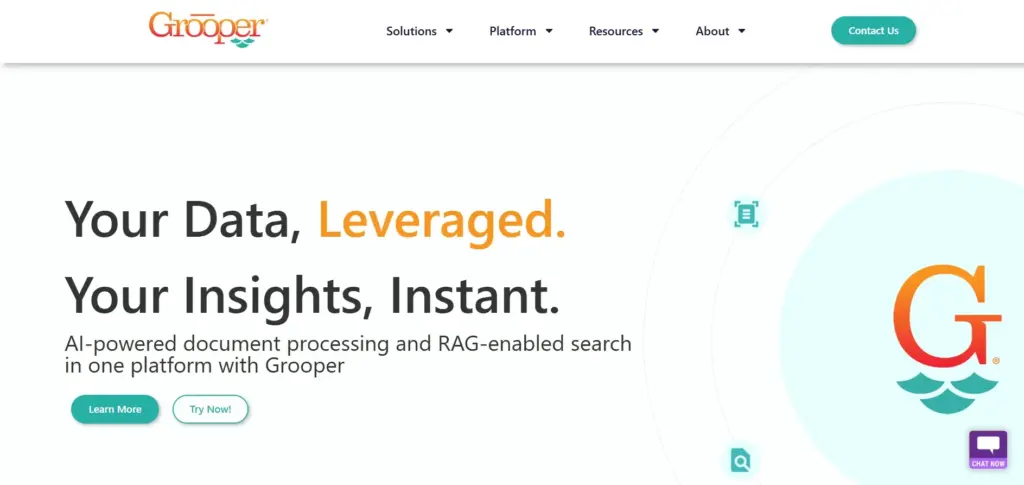
- Overview: Grooper is a highly sophisticated, intelligent document processing and data integration platform. It excels at tackling very complex documents, including invoices with challenging layouts, poor image quality, or unstructured data. It offers deep control over image processing and data extraction logic.
- Key Invoice Processing Features:
- Advanced OCR with extensive image clean-up and enhancement capabilities.
- AI and machine learning for classifying documents and extracting data.
- Specializes in handling “fuzzy” data and variations.
- Detailed line-item and table extraction from complex invoices.
- Highly customizable data validation and business rules.
- Integrates with enterprise systems and databases.
- Pros:
- Exceptional at Difficult Documents: If other OCR tools fail on your toughest invoices, Grooper often succeeds due to its powerful image processing and data interpretation.
- Granular Control: Offers deep configuration options for experts who need to fine-tune every aspect of the process.
- Data Integration Power: Strong capabilities for not just extracting but also transforming and integrating data into various downstream systems.
- Cons:
- Very Steep Learning Curve: This is a tool for specialists. It requires significant training and technical expertise to leverage fully.
- Complexity in Setup: Not a quick or easy tool to implement.
- Cost: A premium, robust platform with pricing to match.
- Pricing Model: Quote-based, typically for enterprise deployments.
- Who is it best for?: Large organizations, service bureaus, or businesses with extremely challenging document sets (e.g., historical archives, very poor quality scans, highly variable unstructured data) where other solutions fall short and deep technical control is needed.
- Our Insight: Grooper is like the special forces of OCR. When you have mission-critical, incredibly tough data capture challenges that standard tools can’t handle, Grooper has the firepower and precision to get the job done. It’s less about general invoice processing and more about conquering complex data.
7. Klippa – Best for Mobile-First & International Invoice Processing
- Overview: Klippa offers an AI-powered OCR solution with a strong emphasis on mobile capture and international capabilities. It’s designed to be fast, accurate, and easy to integrate, particularly for expense management and invoice processing.
- Key Invoice Processing Features:
- AI-driven OCR for invoices, receipts, and other financial documents.
- Mobile SDK for easy integration into existing mobile apps.
- Excellent multi-language and multi-currency support.
- Automated data extraction and categorization.
- Integration with accounting software, ERPs, and expense management tools via API.
- Customizable approval workflows.
- Pros:
- Strong Mobile Capabilities: Ideal for businesses with field staff or those wanting to capture invoices and receipts on the go.
- Excellent for International Operations: Handles diverse languages and currencies very well.
- Developer-Friendly API: This makes it relatively easy to integrate Klippa’s OCR into custom applications.
- Fast Processing Speed: Known for quick turnaround on document processing.
- Cons:
- Advanced Customization: While flexible, it might not offer the same depth of granular workflow or rule customization as some larger enterprise platforms out-of-the-box.
- Reporting Features: Core reporting is good, but some may want more advanced built-in analytics.
- Pricing Model: Usage-based (per document) with different plans. It also offers API and SDK pricing.
- Who is it best for?: Companies of all sizes that need strong mobile OCR capabilities process international invoices or want to embed OCR functionality into their applications. Popular for expense management automation.
- Our Insight: Klippa’s agility and focus on “scan-and-go” make it very appealing for modern, mobile-first businesses. If your team is spread out or deals with invoices from around the globe, Klippa’s strengths align well.
8. Amazon Textract – Best for AWS-Integrated, Scalable OCR
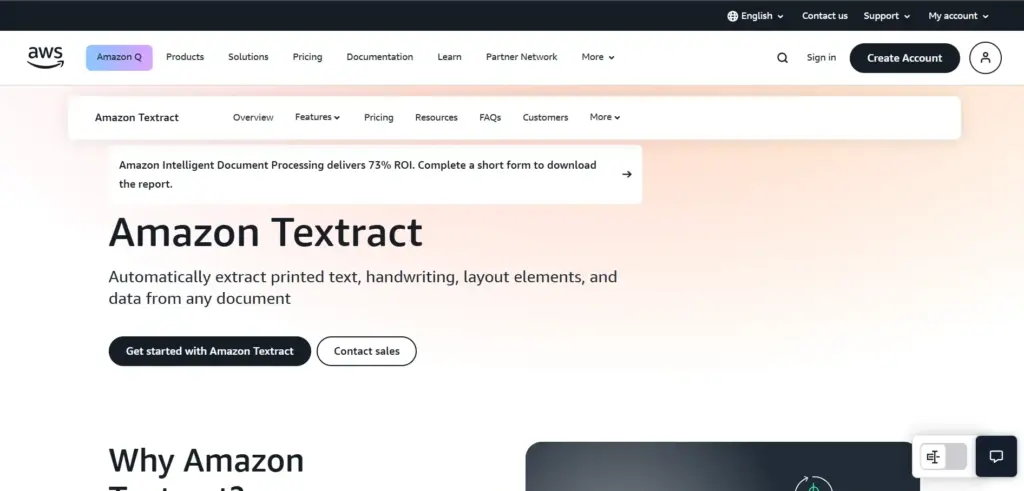
- Overview: Amazon Textract is a machine learning service from Amazon Web Services (AWS) that automatically extracts text, handwriting, and data from scanned documents. It goes beyond simple OCR to identify the contents of fields in forms and information stored in tables, making it well-suited for invoices.
- Key Invoice Processing Features:
- Leverages AWS machine learning for high accuracy.
- Specific APIs for analyzing invoices and receipts, understanding vendor names, item prices, etc.
- Extracts data from tables and forms.
- Pay-as-you-go pricing.
- Scales automatically handle millions of documents.
- Integrates seamlessly with other AWS services (S3 for storage, Lambda for processing, etc.).
- Pros:
- Highly Scalable and Reliable: Built on the robust AWS infrastructure.
- Cost-Effective for Variable Loads: The pay-as-you-go model can be very economical, especially if your volume fluctuates.
- Powerful AI for Data Understanding: The specialized invoice and receipt APIs are intelligent.
- Developer Focused: Great for businesses with development resources who want to build custom AP automation solutions using AWS.
- Cons:
- Requires AWS Ecosystem Knowledge: Best suited for companies already using or comfortable with AWS. It’s a service, not a standalone software with a UI.
- Needs Development to Build a Full Solution: Textract provides the OCR engine; you need to build the surrounding application (ingestion, validation workflows, UI, integrations) or use a third-party tool that leverages Textract.
- Less “Out-of-the-Box” for Non-Developers: Not a turnkey solution for business users without IT support.
- Pricing Model: Pay-per-page processed, with different rates for text extraction vs. form/table extraction. Free tier available.
- Who is it best for?: Businesses of all sizes that are invested in the AWS ecosystem and have development capabilities to build custom document processing workflows. Companies are looking for a highly scalable, flexible, and cost-effective OCR engine.
- Our Insight: Textract is like having access to a world-class OCR engine that you can plug into your custom-built machine. Suppose you have the technical know-how to build that machine. In that case, Textract provides incredible power and scalability at a competitive price.
9. Google Document AI (specifically Invoice Parser) – Best for Google Cloud Users & ML Power
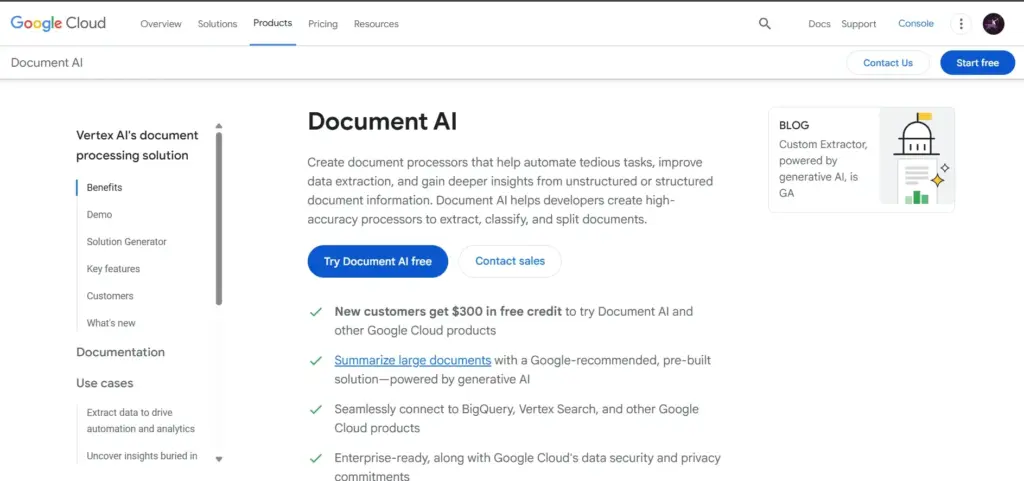
- Overview: Google Cloud Document AI is a suite of tools for document processing, and its Invoice Parser is specifically trained to extract data from invoices. It leverages Google’s cutting-edge machine learning to understand, categorize, and extract rich information from invoices at scale.
- Key Invoice Processing Features:
- Uses Google’s advanced ML models for high accuracy on a wide range of invoice formats.
- Pre-trained parser specifically for invoices, requiring minimal setup for common fields.
- Extracts header fields, line items, and summary fields.
- Supports multiple languages and currencies.
- Integrates with other Google Cloud services (Storage, Functions, AI Platform).
- Scalable and reliable, hosted on Google Cloud.
- Pros:
- State-of-the-art machine Learning: Leverages Google’s significant AI research and infrastructure.
- High Accuracy for Diverse Invoices: Performs well even with variations in layout without extensive pre-training.
- Ease of Use for Common Fields: The pre-trained Invoice Parser is quick to get started with for standard invoice data.
- Scalability: Handles large volumes efficiently.
- Suitable for Developers: Provides APIs for integration into custom applications.
- Cons:
- Best within Google Cloud Platform (GCP): Like Textract with AWS, it’s most seamlessly used by organizations already on or moving to GCP.
- Requires Development for Full Solution: It’s a parser/API; you need to build the surrounding application or use a partner solution.
- Can Be More Complex for Non-Technical Users: Primarily a developer tool rather than an end-user application.
- Pricing Model: Pay-per-page, with different rates based on features used and volume. It offers a free tier.
- Who is it best for?: Businesses using Google Cloud Platform, developers building custom AP automation solutions, and companies looking for highly accurate, ML-driven invoice parsing.
- Our Insight: Google’s Document AI Invoice Parser showcases the power of specialized machine learning. If your business is already in the Google ecosystem and you want top-tier AI for invoice data extraction to build upon, this is a very compelling option.
Quick Comparison: Finding Your Perfect OCR Match
To help you see how these tools stack up at a glance, here’s a simplified comparison. Remember, “best” is relative to your specific business needs and priorities!
| Software | Best For | Primary Strength | AI Capability | Ease of Setup | Typical Pricing Model |
|---|---|---|---|---|---|
| Nanonets | SMBs, AI Customization, Variable Invoices | Ease of Use, Adaptive AI | Adaptive Learning, No-Code Model Building | Low-Medium | Per Document/Tiered Plans |
| Rossum | High-Volume, Complex & Diverse Invoices | Template-Free AI, High Accuracy | Self-Learning Cognitive Data Capture | Medium | Subscription (Custom Quote) |
| ABBYY FlexiCapture | Large Enterprises, Deep Customization, Complex Docs | Powerful OCR Engine, Versatility | Advanced OCR, ML, Customizable AI Models | High | Quote-Based (Licensing) |
| Docparser | SMBs, Simple Template-Based Extraction | Ease of Use for Templates, Affordability | Rule-Based (Limited AI) | Low | Tiered Monthly Subscriptions |
| DocuPhase | Integrated Document Mgt. & Workflow | Holistic AP Automation, Workflow Power | Advanced OCR, AI for Classification | Medium-High | Quote-Based (Modular) |
| Grooper (by BIS) | Extremely Complex/Unstructured Data, Image Pro | Handling Difficult Docs, Granular Control | Sophisticated AI, Advanced Image Processing | High | Quote-Based (Enterprise) |
| Klippa | Mobile-First, International Invoices, API Use | Mobile Capture, Multi-Language/Currency | AI-Powered OCR, Mobile SDKs | Low-Medium | Per Document/API Plans |
| Amazon Textract | AWS Users, Scalable OCR Engine for Developers | Scalability, AWS Integration, ML Power | AWS ML Engine, Invoice/Receipt APIs | Medium (Dev) | Pay-Per-Page (AWS Billing) |
| Google Document AI | Google Cloud Users, ML-Powered Parsing | ML Accuracy, GCP Integration | Google ML Models, Pre-Trained Invoice Parser | Medium (Dev) | Pay-Per-Page (GCP Billing) |
Key for “Ease of Setup”:
- Low: Can often be set up and running basic processes within hours or a few days with minimal technical skills.
- Medium: May require some configuration, integration work, or dedicated time for learning the platform, potentially taking days to a few weeks.
- High: Typically involves significant configuration, customization, integration with multiple systems, and potentially specialized IT expertise or vendor/partner involvement; can take weeks to months.
- (Dev): Indicates that while the core service might be easy to access, building a full end-user application around it requires development effort.
A Note on Pricing:
- Per Document/Page: You pay based on the number of invoices or pages processed.
- Tiered Plans/Subscriptions: Monthly or annual fees for a set number of documents or features, with different levels available.
- Quote-Based: Pricing is customized based on your specific volume, feature needs, and company size. This is common for enterprise solutions.
- (AWS/GCP Billing): Integrated into your overall cloud provider bill, usually on a pay-as-you-go basis for the specific service usage.
Our Tips: Use this table to create a shortlist of 2-4 solutions that seem like a good fit. Then, visit their websites, watch demos, and if possible, request a trial or a more personalized demonstration using your own sample invoices. This hands-on approach is invaluable in making the final decision.
Making the Switch: A Smooth Guide to Implementing OCR for Invoices
Choosing software is just the first step. Successful implementation is key to unlocking the full benefits of OCR. It’s about more than just installing a tool; it’s about transforming a process and bringing your team along.
Step 1: Know Thyself – Assessing Your Current Process & Future Needs
Before you even demo software, take a hard look inward.
- Map Your Current Invoice Process:
- How do invoices arrive? Who touches them? How long does each step take? Where are the bottlenecks and pain points?
- (Worksheet Idea: A simple flowchart template readers can use to map their existing AP process.)
- Invoice Volume & Complexity:
- How many invoices do you process monthly/annually? Is this volume growing?
- What types of invoices? (Paper, PDF, email, EDI).
- How many different vendors? How varied are their invoice layouts?
- Do you need to capture line-item detail?
- Are there multiple languages or currencies involved?
- Existing Tech Stack & Integration Points:
- What accounting software or ERP system do you use? (e.g., QuickBooks, Xero, Sage, NetSuite, SAP).
- Do you use a document management system?
- Are any other systems the OCR tool needs to talk to?
- Budget Realities: What’s your budget for software licenses/subscriptions?
- Factor in potential costs for implementation, training, and ongoing maintenance.
- Calculate your potential ROI (Return on Investment) based on time/cost savings and error reduction.
- Compliance and Security Needs:
- Are there industry-specific regulations you must adhere to (e.g., HIPAA for healthcare, SOX for public companies)?
- What are your data security requirements?
- Team Skills & Resources:
- How tech-savvy is your AP team?
- Do you have internal IT support for implementation and troubleshooting?
- Future Growth Plans:
- Choose a solution that can scale with your business.
Our Insight: Don’t skip this internal assessment! The more precise you are on your requirements, the easier it will be to identify the right OCR solution and avoid costly mistakes.
Step 2: Choosing Your Path – Deployment Options
OCR software generally comes in two primary deployment flavors:
- Cloud-Based (SaaS – Software as a Service):
- Pros: Faster setup, lower upfront costs, automatic updates and maintenance by the vendor, accessible from anywhere, typically very scalable.
- Cons: Relies on internet connectivity; data is stored on vendor servers (ensure they have strong security).
- On-Premise:
- Pros: Full control over data and security (resides on your servers) may be necessary for strict regulatory compliance in some industries.
- Cons: Higher upfront investment in hardware and software licenses, requires internal IT resources for maintenance and updates, less flexible for remote access.
- Hybrid: Some solutions offer a mix, perhaps with on-premise data storage but cloud-based processing.
For most SMBs and many larger companies today, cloud-based SaaS solutions offer the best balance of power, flexibility, and cost-effectiveness for invoice processing.
Step 3: Rally the Troops – Training & Change Management
This is CRITICAL. You can have the best software in the world, but if your team doesn’t use it properly or resists the change, your project will struggle.
- Communicate Early and Often: Explain the “why” behind the change. Please focus on the benefits for them (less tedious work, more interesting tasks) and for the company.
- Involve Key Users: Get input from your AP team during the selection process. They often have valuable insights.
- Comprehensive Training:
- Ensure the vendor provides thorough training or plans for internal training resources.
- Go beyond just “how to click buttons.” Teach them how the system works and how to handle exceptions.
- Provide ongoing support and refresher training as needed.
- Appoint Super Users/Champions: Identify individuals on the team who can become experts and help their colleagues.
- Manage Resistance to Change:
- Acknowledge concerns. Some may fear job displacement. Reassure them that the goal is to elevate their roles, not eliminate them.
- Highlight success stories from other companies (or even within your pilot group).
- Our Insight: From my experience, underestimating change management is one of the biggest reasons why software implementations fail to deliver their full potential. Invest time here – it pays off!
Step 4: Test, Tweak, Triumph – Pilot Programs & Go-Live
Don’t try to boil the ocean. Start smart.
- Run a Pilot Program:
- Select a small group of users or a specific type of invoice to test the system with first.
- This allows you to identify and fix any issues on a smaller scale.
- Gather feedback from the pilot group to refine processes and configurations.
- Set Clear KPIs (Key Performance Indicators):
- How will you measure success? Examples:
- Reduction in average invoice processing time.
- Decrease in data entry error rate.
- Cost savings per invoice.
- User adoption rate.
- Track these KPIs before and after implementation.
- How will you measure success? Examples:
- Phased Rollout vs. Big Bang:
- Phased Rollout: Gradually expand the use of the OCR system (e.g., by department, by vendor group). This is often safer and allows for adjustments.
- Big Bang: Switch everyone over at once. It is riskier, but it can be faster if well-planned, and the system is simple.
- Post-Implementation Review: After going live, regularly review performance against your KPIs. Continuously look for ways to optimize the system and your processes.
Common Pitfalls to Avoid and How we can help
Based on my experience as a “software detective,” here are some common traps:
- Choosing Software Based on Price Alone: The cheapest option isn’t always the best value. Consider accuracy, integration, support, and scalability.
- Underestimating Data Quality Issues: If your existing vendor data or POs are a mess, OCR won’t magically fix that. Clean up your source data.
- Lack of Clear Objectives: Not defining what success looks like makes it hard to measure ROI.
- Ignoring Integration Complexity: Ensuring the OCR tool talks smoothly to your accounting/ERP system can be tricky. Don’t underestimate this.
- Insufficient Training: A poorly trained team won’t get the most out of the software.
- Poor Vendor Selection/Support: Choose a vendor who is responsive and offers good support, especially during the initial setup.
At TrustMySoftware.com, we help businesses navigate these challenges by providing unbiased advice and insights to choose solutions that genuinely fit their needs and set them up for success. Contact Us!
Peering into the Crystal Ball: The Future of OCR in Invoice Processing
OCR technology for invoices is already impressive, but it’s not standing still. The future promises even more innovative, more integrated, and more autonomous solutions.
Smarter AI: Beyond Just Reading to True Understanding
- Hyperautomation & Zero-Touch Processing: The goal is for more invoices to flow through the entire process – from receipt to approval to payment posting – with zero human touches unless there’s a genuine exception. AI will get better at resolving discrepancies on its own.
- Contextual Understanding: AI will improve its ability to understand the context of invoice data, not just extract characters. This means better handling of non-standard language, complex discounts, or unusual charges.
- Predictive Analytics:
- Fraud Detection: AI will become more adept at spotting subtle patterns indicative of fraudulent invoices.
- Cash Flow Forecasting: By analyzing invoice data in real time, systems will provide more accurate cash flow predictions.
- Process Optimization Suggestions: AI might suggest ways to improve your AP workflow based on observed bottlenecks or inefficiencies.
Connected Ecosystems: OCR as Part of a Bigger Financial Picture
- Deeper Procure-to-Pay (P2P) Integration: OCR will be an increasingly seamless part of end-to-end P2P automation platforms, linking procurement, receiving, invoice processing, and payments.
- Blockchain for Invoice Verification: While still emerging, blockchain technology could offer a secure and transparent way to verify invoice authenticity and prevent duplicates across networks.
- Enhanced RPA (Robotic Process Automation) Synergy: OCR will work even more closely with RPA bots to automate tasks surrounding invoice processing, like logging into vendor portals to download invoices or initiating payment runs.
- Real-Time Financial Intelligence: The data extracted by OCR will feed into broader business intelligence platforms, giving finance leaders instant insights into spending patterns, vendor performance, and working capital optimization.
Our Insight: We’re closely watching these trends at TrustMySoftware.com. The evolution is towards systems that don’t just process invoices but provide actionable intelligence to drive better financial decision-making.
Conclusion
We’ve covered a lot of ground! From understanding what OCR software for invoice processing is to its incredible benefits, the key features to look for, detailed reviews of top solutions, and how to implement it successfully.
The takeaway is clear: implementing the right OCR software can fundamentally transform your accounts payable operations. It’s about much more than just scanning paper. It’s about:
- Saving significant time and money.
- Drastically improving data accuracy and reducing costly errors.
- Gaining better visibility and control over your finances.
- Empowering your team to focus on strategic, value-added work.
As the founder of TrustMySoftware.com and your dedicated “software detective,” my commitment is to provide you with clear, honest insights to find software you can genuinely trust. The tools we’ve discussed today are powerful, but the best one for you depends on your unique business needs.
Embrace innovation, invest wisely in technology that solves real problems, and set your organization on the path to unparalleled financial efficiency and performance. Adopting OCR software is a journey towards more streamlined, accurate, and intelligent accounts payable future.
Ready to find the OCR software that’s a perfect match for your business?
- Revisit the comparison table and the detailed reviews.
- Explore our other articles on A/B Testing Software.
I’d love to hear from you!
- What are your biggest invoice processing challenges?
- Have you used any of these OCR tools? Share your experiences in the comments below!
- If you found this guide valuable, please share it with your network.
Let’s keep the conversation going and help each other build more efficient and trustworthy financial operations!
Frequently Asked Questions (FAQ)
Here are answers to some common questions about OCR software for invoice processing:
What is OCR Software for invoice processing, and how does it work in simple terms?
OCR software is like a smart scanner for your invoices. It “reads” paper or digital invoices (like PDFs) and automatically pulls out important info like who sent it, the date, invoice number, amounts, and what you bought. It then puts this data into your computer systems, saving you from typing it all in by hand. This makes things faster and reduces mistakes.
How does OCR Software streamline the invoice processing workflow?
OCR software automates many manual steps. Instead of someone opening mail, typing in data, and physically routing invoices for approval, the software can:
1. Automatically receive invoices (e.g., from an email inbox):
2. Extract all the key data in seconds.
3. Match invoices to purchase orders.
4. Route them digitally for approval based on your rules.
5. Send the approved data directly to your accounting system.
6. This cuts down processing time from days or weeks to hours or even minutes.
What are the main benefits of using OCR Software for invoices?
The biggest benefits are:
1. Cost Savings: Less manual work means lower labor costs per invoice.
2. Increased Accuracy: Fewer data entry errors, which means fewer overpayments or other costly mistakes.
3. Better Visibility: Know where every invoice is in the process.
4. Happier Team: Your staff can focus on more interesting work than data entry.
5. Easier Audits: Digital records are easier to search and manage.
What key factors should I consider when choosing OCR Software?
Look for
1. Accuracy: How well does it read your invoices?
2. Ease of Use: Is it simple for your team to learn and use?
3. Integration: Does it connect easily with your accounting/ERP system?
4. Vendor Support: Will the company help you if you have problems?
5. Scalability: Can it grow with your business?
6. Features: Does it have what you need (e.g., line-item capture, approval workflows)?
7. Cost: Does it fit your budget and offer good value?
How does OCR Software integrate with existing accounting systems like QuickBooks or Xero?
Most modern OCR solutions offer pre-built connectors or use APIs to link with popular accounting systems. Once the OCR processes an invoice, the extracted data (like vendor, amounts, dates, and GL codes) can be automatically pushed into your accounting software, creating a bill or transaction record. This avoids double entry and keeps your financial data consistent.
How much does OCR software for invoice processing typically cost?
Pricing varies widely. Some factors include:
1.Volume: Many are priced per invoice/page or have monthly/annual tiers based on volume.
2. Features: More advanced features (like complex AI or deep integrations) usually cost more.
3. Deployment: Cloud (SaaS) often has a subscription fee. On-premise can have higher upfront license costs.
4. Number of Users: Some vendors charge per user.
You can find basic tools starting from a low monthly fee for small businesses. At the same time, enterprise solutions can be a significant investment. Always get custom quotes for your specific needs.
How long does it take to implement OCR software?
This also varies:
1. Simple Cloud Tools: For basic cloud-based OCR with standard integrations, you might be up and running in a few days or a couple of weeks.
2. More Complex Systems: Enterprise solutions or those requiring extensive customization and integration with multiple systems can take several weeks to a few months.
3. Planning, data preparation, training, and testing all contribute to the timeline.
Is OCR software secure for handling sensitive invoice data?
Reputable OCR software vendors take security very seriously. They typically use:
1. Encryption To protect data both when it’s stored and when it’s being transmitted.
2. Secure Data Centers: Often leveraging major cloud providers like AWS or Azure with their robust security.
3. Access Controls: To ensure only authorized users can see or modify data.
4. Compliance Certifications: Adherence to standards like SOC 2 or GDPR.
Always ask potential vendors about their specific security measures.
What role does Artificial Intelligence (AI) play in modern OCR?
AI makes OCR much smarter. Instead of just matching character shapes, AI:
1. Learns from examples: It gets better at reading different invoice layouts over time, even ones it hasn’t seen before.
2. Understand context: It can be figured out that “Inv # 123” is the invoice number, even if it’s in a different spot on each invoice.
3. Reduces the need for templates: You don’t have to set up a template for every single vendor manually.
4. Improves accuracy: AI helps catch errors and interpret messy or low-quality scans better.
What future trends can we expect in OCR for invoice processing beyond 2025?
Look for:
1. Even Smarter AI: Moving towards “zero-touch” processing where most invoices flow through without any human help.
2. Predictive Analytics: Systems that can predict cash flow issues or flag potentially fraudulent invoices before they become a problem.
3. Deeper Integrations: Seamless connections with all parts of the business finance ecosystem (banking, payments, procurement).
4. More Use of Blockchain: For secure and transparent invoice verification.