9 Best Font Management Software for Mac in 2025
Best Font Management Software for Mac: Welcome to our comprehensive guide on font management software designed specifically for Mac users in 2025. Managing fonts efficiently can streamline your creative workflow and boost system performance in today’s fast-paced design world. Whether you’re a seasoned graphic designer or a beginner, choosing the right tool is essential to keep your typography consistent and adequate.
In this article, you’ll discover everything from macOS’s built-in Font Book to professional solutions like FontExplorer X Pro, Extensis Suitcase Fusion, and FontAgent Pro, as well as alternative options including RightFont, Typeface, FontBase, NexusFont, and the web-based Flipping Typical.
Understanding Font Management Software
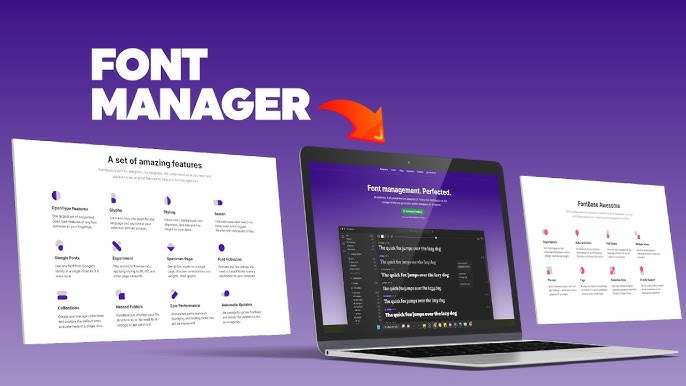
Font management software is a specialized tool that helps you easily organize, preview, activate, and maintain extensive font libraries. When creative projects demand variety and flexibility, relying on basic operating system functionality isn’t enough. In this section, we’ll unpack what font management software does, why it matters for your workflow, and how it overcomes the chaos of unmanaged typefaces.
What Is Font Management Software?
Font management software provides an intuitive interface to handle hundreds or even thousands of fonts without overwhelming your system. You get features such as dynamic previews, innovative collections, auto-activation, and font validation, allowing you to find the perfect typeface in moments.
With these tools, managing fonts becomes as simple as a few clicks, ensuring every project is visually stunning and technically consistent. As you explore further, you’ll see how such software boosts productivity by enabling you to work smarter, not harder.
The Challenges of Unmanaged Fonts
When fonts run wild on your system, you face several challenges that can significantly slow down your creative process:
- System Slowdown: Excessive installed fonts consume memory and processing power.
- Disorganization: Finding a specific font in an unorganized list becomes arduous.
- Font Conflicts: Duplicate or version-conflicted fonts can lead to crashes.
- Inconsistent Typography: You risk applying the wrong font in your projects without proper management.
- Workflow Interruptions: Missing fonts in previously working files create delays and frustration.
These issues impact your system’s performance and overall productivity, forcing you to waste valuable time trying to resolve preventable problems.
Benefits of Dedicated Font Management Solutions
Investing in dedicated font management software yields multiple benefits, ensuring you work more efficiently from the very moment you start your project:
- Optimized System Performance: Activate only the fonts you need, keeping your system lean.
- Enhanced Organization: Create custom collections and tagging options for quick access.
- Visual Previews: Compare fonts side by side before making design choices.
- Auto-Activation: Seamlessly integrate with design applications to activate fonts as needed.
- Robust Validation: Automatically detect and fix any corrupted fonts to avoid project errors.
Using these features, your creative flow remains uninterrupted, allowing you to focus on what truly matters, delivering outstanding work.
The 9 Best Font Management Software for Mac in 2025
Discover 9 Best Font Management Software for Mac in 2025, Advanced font management for Mac empowers designers with intuitive organization, rapid previews, seamless activation, and intelligent grouping. It streamlines workflows, boosts performance, and ensures consistent typography for innovative design projects.
Mac’s Built-In Solution: Font Book
macOS comes equipped with Font Book, a free, integrated utility that provides essential font management for everyday users. While it may not offer the extensive features demanded by professional designers, Font Book is an excellent tool for those who need simple, reliable access to their font libraries.
1. Font Book
Font Book is the native, pre-installed font management app for macOS. It lets you install, view, and organize your fonts quickly and efficiently. Font Book is an immediate and reliable tool for casual users and beginners, and it has capabilities that include introductory preview, grouping, and font validation.
While it may not support advanced features like auto-activation or detailed metadata management, its seamless integration with macOS ensures your essential font management needs are met without additional cost.
Key Features:
- Pre-installed and free on macOS
- Quick font installation and simple grouping
- Basic preview customization options
- Font validation to identify problematic fonts
- Effortless integration with macOS utilities
Pros:
- No additional cost; built right into macOS
- User-friendly interface ideal for beginners
- Reliable for basic font management tasks
Cons:
- Lacks advanced functionalities for professionals
- Limited customization and preview options
- Minimal support for complex metadata management
Font Book effectively covers the fundamentals, making it a fantastic starting point for those new to font management or those with minimal needs.
Professional Font Management Solutions for Mac
For creative professionals with vast font libraries and specialized workflow requirements, professional font management software offers advanced features far beyond essential organization. These tools integrate deeply into your design environment, automate tedious tasks, and provide precise control over your fonts.
2. MonoType Fonts (FontExplorer X Pro)
MonoType Fonts is fromerly known as FontExplorer X Pro. MonoType Fonts is a state-of-the-art tool for professional designers managing extensive font libraries. Its advanced capabilities include customizable previews, innovative collections, automatic classification, and a similarity engine that helps you find typefaces that complement one another.
Designed for creative environments that demand precision and speed, MonoType Fonts offers backup functionalities and integrates seamlessly with popular creative applications. This software optimizes your workflow and ensures you always have the right typeface at your fingertips.
Key Features:
- High-resolution and customizable font previews
- Automatic classification and intelligent grouping
- Similarity engine for easy font pairing
- Robust backup and restoration options
- Deep integration with various design applications
Pros:
- Advanced features ideal for professional workflows
- Highly customizable interface and toolbars
- Exceptional for managing large font libraries
Cons:
- Higher price points may deter beginners
- The steep learning curve for new users
- It can consume significant system resources when handling huge collections
3. Extensis Suitcase Fusion
Extensis Suitcase Fusion merges the best attributes of previous font managers into one streamlined, professional solution. Specially tailored for users of Adobe Creative Suite, it offers auto-activation, robust organization through brilliant sets, and a visually appealing one-window interface that consolidates all font management tasks.
Beyond simple organization, Suitcase Fusion automatically detects and resolves font conflicts, ensuring that your design projects remain consistent and error-free. It is an indispensable tool for professionals who value both aesthetics and efficiency in their creative workflow.
Key Features:
- Auto-activation designed for Adobe application integration
- Unified, one-window interface for browsing and organization
- Intelligent organization with brilliant sets and cloud sync
- Robust font validation and conflict detection
- Seamless synchronization across devices and team workflows
Pros:
- Exceptional compatibility with Adobe Creative Suite
- A streamlined interface ensures intuitive use
- Effective font conflict detection and resolution
Cons:
- Higher cost and subscription fees
- Slight limitations in interface customization
- Occasional performance issues with enormous collections
Suitcase Fusion is a robust, professional-grade solution that excels in environments requiring precise font management and seamless application integration.
4. FontAgent Pro
FontAgent Pro offers a comprehensive font management solution designed specifically for creative professionals who demand efficient Adobe integration. This software leverages an intelligent system of brilliant sets and visual previews that help you quickly compare fonts and prune your library.
With advanced features like font validation, glyph viewing, and seamless auto-activation within your Adobe applications, FontAgent Pro streamlines your workflow considerably. It is built to optimize large font libraries and empower designers to focus on creativity without technical delays.
Key Features:
- Comprehensive, brilliant sets and organized libraries
- Auto-activation integration with Adobe CS/CC applications
- Detailed glyph viewing and font comparison tools
- Efficient font validation for error detection
- Rapid search and filtering functionalities
Pros:
- Excellent Adobe integration to boost productivity
- In-depth comparison and validation features
- Ideal for managing extensive typeface collections
Cons:
- It can appear complex for users new to font management
- Occasional lag with vast libraries
- Limited cloud synchronization capabilities compared to newer tools
Alternative Font Management Solutions
While professional solutions offer unmatched features for high-end workflows, many users seek alternatives that balance simplicity, affordability, and functionality. Let’s explore some compelling options for various needs.
5. RightFont
RightFont is an innovative and modern font management tool designed for Mac users who appreciate simplicity with cloud support. The application features a sleek interface, real-time font previews, and seamless integration with popular design software such as Adobe Creative Suite.
RightFont simplifies font activation and organization, letting you quickly drag and drop fonts into your libraries. Its cloud-based synchronization capabilities facilitate collaborative work, making it an ideal solution for individual designers and small teams who value efficiency without overwhelming features.
Key Features:
- Cloud synchronization for instant team collaboration
- Real-time font preview with quick activation
- Clean, minimalist interface for ease of use
- Seamless integration with Adobe and other creative software
- Lightweight, ensuring high performance on your Mac
Pros:
- Intuitive and user-friendly design
- Excellent for small teams with cloud requirements
- Streamlines font management with minimal setup
Cons:
- Limited advanced organizational tools
- It is not ideal for managing vast font libraries
- Occasional syncing issues with extensive collections
RightFont is a mobile, modern alternative to more robust professional tools without sacrificing efficiency or ease of use.
6. Typeface
Typeface offers a visually oriented approach to font management that emphasizes high-quality previews and design aesthetics. Tailored for creative professionals who rely heavily on visual cues, this software presents an elegant, intuitive interface that lets you browse and compare fonts effortlessly.
Customizable collections, intelligent search, and quick preview updates allow you to manage your type libraries easily. Typeface’s emphasis on an engaging user experience makes it perfect for designers who want to explore and experiment with fonts without the complications of dense technical setups.
Key Features:
- Stunning, high-resolution font previews
- Customizable and visually appealing collections
- Intelligent search and filter options
- Clean and distraction-free user interface
- Efficient side-by-side font comparisons
Pros:
- Prioritizes aesthetics and user experience
- Simplifies the font discovery process visually
- Perfect for designers valuing clarity and design finesse
Cons:
- Limited technical features for power users
- Does not integrate deeply with some professional applications
- May struggle with extensive font libraries
7. FontBase
FontBase is a versatile, free font management tool that bridges the gap between essential functionality and premium options. With a modern, user-friendly interface, FontBase allows you to organize, preview, and activate fonts effortlessly.
It supports custom collections duplicate detection and offers an upgrade option for enhanced capabilities. Ideal for students, hobbyists, and professionals alike, FontBase provides a cost-effective solution to keep your font library organized, offering the flexibility to scale up as needed through premium features.
Key Features:
- Free solution with a user-friendly interface
- Custom collections and duplicate font detection
- Quick preview and activation features
- Option to upgrade to a premium plan
- Regularly updated with new functionalities
Pros:
- Cost-effective and accessible to all user levels
- Balances simplicity and power in one tool
- Lightweight and fast performance on Macs
Cons:
- Advanced capabilities require a paid upgrade
- Integration with high-end design tools is basic
- Occasional stability issues with vast collections
8. NexusFont
Although NexusFont is primarily designed for Windows users, it remains noteworthy for its free, lightweight approach to font management. NexusFont’s simple yet effective interface helps you preview, organize, and detect duplicate fonts quickly.
It maintains fast performance and ease of use even when managing extensive font libraries. While its complete feature set may not rival premium alternatives on macOS, many users in multi-platform environments appreciate its straightforward functionality and reliability.
Key Features:
- Completely free; minimal installation burden
- Customizable font previews and group organization
- Duplicate detection and efficient management
- Fast performance, even with extensive collections
- Simple, intuitive interface design
Pros:
- Free with no investment required
- Efficient performance for everyday tasks
- Easy to use for essential font management
Cons:
- Native functionality on Mac is limited
- Lacks advanced organizational features
- Minimal integration with professional design software
NexusFont is an excellent option if you work in a cross-platform environment or need a simple, no-frills tool to handle your basic font management needs.
9. Flipping Typical
Flipping Typical is a browser-based solution that redefines how you preview fonts by allowing instant, real-time testing without any software installation. It provides an interactive interface where you can simultaneously type your text and see all active fonts rendered.
With customizable text inputs and handy keyboard shortcuts, Flipping Typical is perfect for quick experiments and initial font selections. Designed for flexibility and speed, this web tool is ideal if you prefer the freedom of working online over downloading a dedicated application.
Key Features:
- Browser-based with instant font previews
- Real-time text updates and dynamic display
- Customizable input with keyboard shortcuts
- Lightweight with zero installation requirements
- Cross-browser and mobile device compatibility
Pros:
- Immediate, installation-free access
- Great for rapid font testing and comparisons
- Works seamlessly across various devices
Cons:
- Not a complete font management solution
- Lacks the organizational tools of dedicated software
- Requires an active internet connection to function
Flipping Typical stands out by providing a quick, versatile way to evaluate fonts on the go, perfectly supplementing your core management software.
Choosing the Perfect Font Management Software for Your Needs
Selecting the right font management tool hinges on your unique creative process and workflow needs. Ask yourself:
- How extensive is your font collection?
- More extensive libraries demand advanced classification, filtering, and auto-activation features.
- What design applications do you use?
- Ensure your chosen tool integrates seamlessly with software like Adobe Creative Suite, Sketch, or Affinity Designer.
- What is your budget?
- Consider whether a free tool like FontBase or a premium solution like FontExplorer X Pro best fits your financial plan.
- Do you collaborate with a team?
- Opt for cloud-based synchronization solutions and shared libraries if collaborative work is essential.
- How important is a visual preview?
- The preview quality and ease of side-by-side comparisons are crucial for designers who rely on aesthetics.
By evaluating these factors, you can match your workflow intricacies with the software that propels your productivity and creativity.
Best Practices for Font Management
Even with the best tools, following established best practices is key to maximizing productivity and ensuring long-term creative success.
Organization and Activation Strategies
- Create Logical Groups: Develop custom collections based on project types, font characteristics, or usage frequency. This strategy boosts efficiency and reduces the clutter on your system.
- Tagging and Naming Conventions: Apply consistent, clear naming conventions and tags to each font. This systematic method allows you to identify and retrieve fonts when needed quickly.
- Selective Activation: Rather than activating your entire library, only load fonts essential to the current project. This keeps your system running smoothly and minimizes performance issues.
- Brilliant Sets and Auto-Activation: Leverage features such as brilliant sets (automatically updating groups based on selected criteria) and the auto-activation function available in many professional tools. These features save time and eliminate routine tasks.
Performance Optimization
- Minimize Permanently Active Fonts: Don’t burden your system with a permanent load of every installed typeface. Activate fonts on an as-needed basis to optimize memory usage.
- Regular Cache Clearing: Schedule routine clearing of your font caches to ensure your system’s performance remains uncompromised.
- Eliminate Duplicates: Periodically scan for duplicate fonts and remove unnecessary copies. This helps prevent conflicts and ensures a cleaner library.
- Backup Your Collection: Maintain backups of your curated fonts. Whether through cloud services or external storage, backups safeguard your valuable assets against loss or corruption.
By adhering to these best practices, you streamline your design process and ensure that your font management system adapts as your creative demands grow.
Troubleshooting Common Font Issues
Even with robust font management solutions, issues can emerge. Being prepared with troubleshooting methods will keep you working efficiently.
Font Conflicts
- Identify Duplicates: Use built-in duplicate detection tools to flag duplicate or near-duplicate fonts.
- Detect and Resolve Corrupt Files: Utilize the font validation features to scan for corrupt typefaces. When found, remove or reinstall these fonts.
- Clear System Caches: Regularly clean your system’s font cache to resolve lag or display issues.
- Font Quarantine: Some software offers a quarantine feature to keep problematic fonts from interfering with your projects.
- Software Updates: Ensure you’re using the latest version of your font management software, as updates often include fixes for known issues.
Missing Fonts
- Double-Check Activation Status: Ensure that the missing font is properly activated through your management software.
- Verify Files and Locations: Confirm that the font file exists in the correct directory and is not deleted or moved.
- Check for Alternate Versions: Search for alternate versions or substitutes that maintain consistency if a font is missing.
- Sync Across Devices: For team projects, use cloud-based sync features to retrieve fonts from shared libraries to avoid “missing font” errors.
These troubleshooting techniques keep your projects running smoothly, reducing downtime and frustration.
The Future of Font Management
As technology evolves, so too do the tools we use for creativity. The shifting landscape of design software continually inspires innovation in font management solutions. Here are some trends heralding the future of font management:
- Cloud-Based Libraries: Expect more software to offer real-time cloud synchronization, enabling remote access and collaboration with team members across the globe.
- AI-Powered Recommendations: Future tools may incorporate artificial intelligence to suggest font pairings and style modifications based on your design context.
- Variable Fonts and Responsive Design: With the rise of variable fonts that adjust weight, width, and style dynamically, font management tools will increasingly support flexible, responsive typography.
- Enhanced Metadata and Searchability: Improved metadata integration will allow you to search fonts based on attributes such as style, mood, and historical usage.
- Collaboration-Driven Features: The software will likely expand to include better team functionalities such as real-time collaboration, shared libraries, and comment systems, thus streamlining workflows in creative agencies and studios.
Embracing future advancements ensures that font management routines remain cutting-edge and adaptable to evolving design standards.
Conclusion
In conclusion, effective font management is the backbone of a streamlined, creative workflow for Mac users in 2025. From the simplicity of macOS’s built-in Font Book to robust professional tools such as FontExplorer X Pro, Extensis Suitcase Fusion, and FontAgent Pro, a solution exists for every creative need and budget.
Alternative options like RightFont, Typeface, FontBase, NexusFont, and Flipping Typical provide versatility and innovative approaches for diverse workflows. By implementing best practices, optimizing performance, and understanding how to troubleshoot common font issues, you empower your design process and maintain consistency in typography.
Furthermore, implementing a powerful font management strategy fosters creative freedom and elevates every design you produce. A well-organized font library saves countless hours by eliminating the hassle of searching for the perfect typeface, fueling your productivity and innovation.
As you explore and adapt these diverse solutions, you cultivate a professional workflow that sets you apart in the competitive design landscape. Embrace these advanced tools and best practices to propel your projects forward and maintain a dynamic, cutting-edge creative process, always with unwavering dedication.
If you found this guide insightful and valuable, it’s time for you to take charge of your creative process. Please share your experiences with font management in the comments below, subscribe to our newsletter for more expert tips, and share this article with fellow designers and creative professionals.
Engage with our community on social media, explore the featured software in detail, and let us know which solution best fits your needs. Your feedback inspires us to deliver reliable, in-depth resources to optimize your creative workflow.
Happy designing, and may your fonts always inspire creativity!
Frequently Asked Questions
What is Font Management Software for Mac, and why is it important in 2025?
Font Management Software for Mac is a specialized tool designed to help you organize, preview, and activate extensive font libraries efficiently. In 2025, as creative projects demand a vast range of typefaces, this software becomes essential for streamlining workflows and enhancing system performance. It prevents clutter by allowing selective activation of fonts and simplifies finding the perfect typeface for each project. Ultimately, it saves you time and ensures consistent typography across all your design work.
What key features should I consider in Font Management Software for Mac?
When choosing Font Management Software for Mac, you should look for intuitive organization features like customizable collections and tagging. Essential capabilities include fast and high-quality font previews, auto-activation with design applications, duplicate detection, and robust validation tools to ensure file integrity. Integration with creative software such as Adobe Creative Suite can also significantly improve efficiency. These features empower you to easily manage your font library, leading to a more productive and organized design process.
How does Font Management Software for Mac improve my creative workflow?
Font Management Software for Mac enhances your creative workflow by simplifying the navigation of extensive font libraries. It lets you quickly find, preview, and activate the fonts needed for any project, reducing the time spent searching through disorganized collections. With features like auto-activation, intelligent grouping, and real-time previews, you can focus on design rather than font logistics. This streamlined approach fosters a smoother, more efficient process, enabling you to deliver visually consistent and compelling designs faster.
Can Font Management Software for Mac help improve system performance?
Yes, Font Management Software for Mac significantly enhances system performance by allowing you to activate only the fonts you need for each project. This selective activation reduces the strain on your system resources, preventing slowdowns when too many fonts are loaded simultaneously. Additionally, features like duplicate detection and font validation help maintain an organized library. By managing fonts more effectively, you speed up workflow and reduce the risk of application crashes and other performance issues.
What should beginners consider when selecting Font Management Software for Mac?
Beginners should look for Font Management Software for Mac that offers an intuitive and user-friendly interface. Look for options that provide basic functionalities such as easy font installation, simple organization through collections, and reliable preview tools. A straightforward tool, such as macOS’s built-in Font Book, may be ideal for novices who do not require advanced automation or detailed metadata management. By starting with a simple solution, you can gradually explore more complex features as your design needs evolve.
How do professional tools differ in Font Management Software for Mac compared to essential tools?
Professional tools in Font Management Software for Mac offer advanced features beyond crucial organization. They include customizable and high-resolution font previews, automatic classification, intelligent search, and integration with major design applications. These advanced systems often support cloud synchronization, robust backup options, and detailed metadata management. They are designed to assist creative professionals who work with large font libraries, ensuring that every typeface is organized and easily accessible, thereby promoting a more efficient and professional workflow.
Is cloud synchronization an essential feature in Font Management Software for Mac?
Cloud synchronization is a valuable feature in Font Management Software for Mac, enabling seamless access and consistent updates across multiple devices. This functionality is particularly beneficial for collaborative teams and creative professionals who work remotely or on various systems. By automatically syncing your font libraries, you ensure every team member can access the latest fonts and collections. This feature helps maintain uniformity across projects and enhances workflow efficiency, reducing the risk of missing or outdated fonts during collaborative design sessions.
How can Font Management Software for Mac help me troubleshoot common font issues?
Font Management Software for Mac often includes built-in tools designed to troubleshoot and resolve common font issues. These tools can effectively detect duplicate fonts, identify corrupted files, and transparent system caches. The software ensures your library remains clean and efficient with intelligent alerts and font validation processes. When documents display missing font warnings or inconsistent typography, these tools help pinpoint the problem, allowing for quick fixes. This proactive management reduces downtime and ensures that your design work proceeds smoothly without interruptions.
Are free and paid options available in Font Management Software for Mac?
Yes, Font Management Software for Mac comes in both free and paid versions to suit different needs and budgets. Free solutions like Font Base or Font Book provide essential features that are ideal for beginners or casual users. On the other hand, premium options offer advanced functionalities such as auto-activation, intelligent classification, and cloud-based synchronization for professional environments. Choosing between free and paid options depends mainly on the complexity of your workflow, library size, and specific feature requirements, ensuring you can find a tool that perfectly matches your design needs.
How can I choose the best Font Management Software for Mac that suits my needs?
Choosing the best Font Management Software for Mac involves assessing your specific design workflow, library size, integration needs, and budget. Start by identifying the key features you require, such as advanced previews, automatic activation, and cloud synchronization. Read user reviews, compare free and premium options, and consider trial versions to test usability. By matching the software’s capabilities to your creative demands, you ensure that the chosen tool streamlines your work, improves productivity, and maintains consistent, high-quality typography across all your projects.