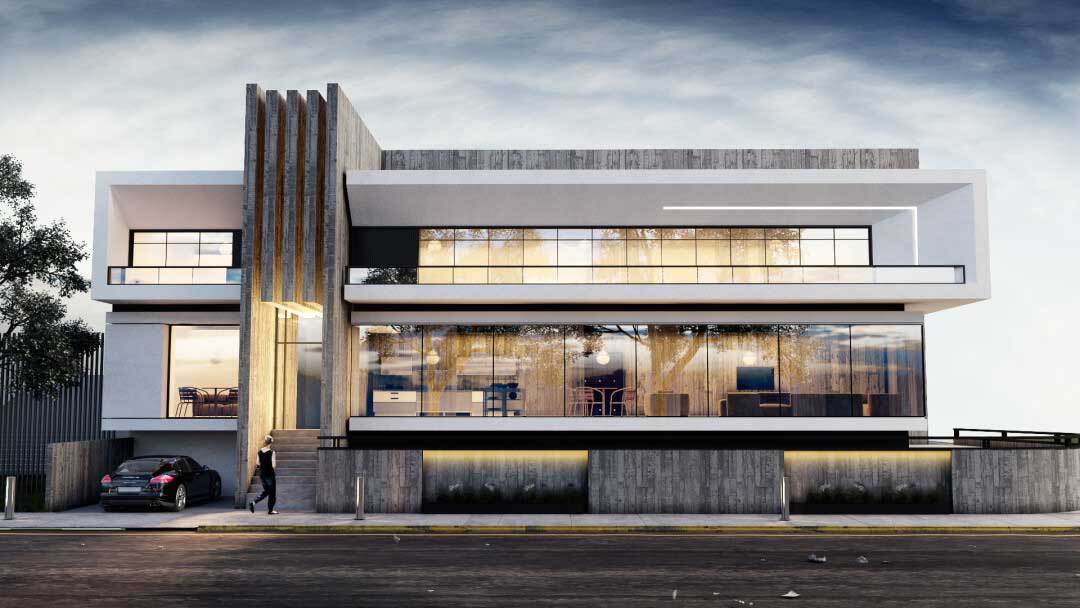
Top 24 Best 3D Rendering Software in 2025
Today’s visually driven world thrives on the power of 3D rendering software, a technology that has become indispensable in design, architecture, gaming, and visual effects. Whether you are an architect turning conceptual sketches into photorealistic representations, a product designer perfecting details before manufacturing, or a game developer crafting immersive digital realms, the right rendering tool can elevate your projects into extraordinary visual experiences.
This guide is dedicated to you, creative professionals and passionate hobbyists, seeking an in-depth understanding of the latest advancements in 3D rendering technology that cater to your specific needs and ambitions.
Throughout this overview, we delve into the evolution of rendering from early wireframe models to the advanced, hyper-realistic visualizations that define today’s standards. Our comprehensive reviews cover 24 of the best 3D rendering software solutions available in 2025, offering insights into their key features, performance metrics, and industry-specific applications.
We examine essential factors such as user interface, compatibility, innovation in lighting and textures, and cost efficiency, providing you with a practical and reliable resource to navigate the complexities of selecting the ideal software.
This guide empowers you to make informed decisions that align with your creative ambitions and project requirements by combining expert recommendations with practical case studies. As you explore the comparative strengths of each solution, you will discover tools designed to enhance workflow efficiency and unlock unprecedented creative potential.
Embrace this journey into cutting-edge technology and transform your visionary ideas into vivid, breathtaking realities. Additionally, our analysis highlights emerging trends and effective strategies, empowering you to harness innovation and achieve extraordinary results with your creative visions every single day.
We also provide a glimpse into the future of 3D rendering software, discussing potential advancements and how they might impact your work.
What is 3D Rendering Software?
3D rendering software comprises powerful applications that convert three-dimensional models into highly detailed, photorealistic images or animations. After you create a design using CAD, sculpting, or modeling software, the rendering engine simulates lighting, textures, shadows, and other visual effects.
The result is a lifelike representation of your vision that can be used for presentations, marketing, architectural visualization, and more.
For you, this means that any concept from a grand architectural project to a simple product design can be transformed into an immersive visual experience. Beyond static images, many rendering tools also offer animation capabilities, allowing dynamic walkthroughs or interactive demonstrations of designs.
As computing power has grown exponentially, these tools have become faster, more interactive, and accessible to creative professionals at every level. This transformation has broadened the scope of 3D visualization across industries, empowering designers to simulate real-world conditions and test ideas before they are physically realized.
Understanding the mechanics behind 3D rendering software can help you harness its full potential. It gives you the confidence to experiment with different tools while being assured that each rendering platform has unique capabilities tailored to specific creative and technical needs.
Benefits of 3D Rendering Software in Various Industries
3D rendering software offers transformative benefits that can significantly influence your design process and business outcomes. When you integrate these tools into your workflow, you’ll notice improvements that span multiple aspects of project development. Here’s why they matter:
- Enhanced Visualization: These tools convert models into realistic visuals, enabling you to see the end product before it’s built. Realism in textures, shadows, and reflections allows you to assess design decisions accurately.
- Clear Communication: Detailed visualizations help you convey your ideas effectively to clients, stakeholders, or team members. With a clear presentation, approvals and collaborations become smoother.
- Time and Cost Efficiency: Catch design issues early through refined previews, helping you reduce costly revisions and accelerate development timelines.
- Marketing and Brand Impact: Stunning images and animations give your portfolio or product launches an edge and attract attention in a competitive market.
- Versatile Applications: Whether you work in architecture, gaming, film, or product design, 3D rendering software adapts to your creative needs, allowing you to switch seamlessly between industries.
These benefits make 3D rendering software an indispensable asset. It ensures that your designs are communicated clearly and effectively while saving time and resources.
Factors to Consider When Choosing 3D Rendering Software
Selecting the perfect 3D rendering software is a decision that your specific needs, skill level, and project demands should inform. Here are some critical factors you need to evaluate before making your choice:
- Ease of Use: You want a clean and intuitive user interface that minimizes the learning curve. The software should empower you to create stunning renders quickly without requiring extensive training.
- Rendering Speed: Fast Rendering can dramatically improve your workflow, allowing more time for design refinement and ideation.
- Quality and Realism: Look for software that produces photorealistic outcomes. This involves advanced light simulation, material rendering, and fine-tuning capabilities.
- Compatibility: The rendering software must integrate well with your current suite of design tools and support the necessary file formats.
- Budget Constraints: Consider not only the initial cost but also any recurring fees or upgrade expenses. A cost-effective solution that meets your requirements is key to long-term savings and productivity.
- Community and Support: Access to tutorials, forums, active user communities, and responsive customer support can significantly shape your overall experience.
By ensuring these factors align with your needs, you can confidently select a tool that bolsters your creative capabilities and streamlines your production process.
History and evolution of 3D Rendering Software
The journey of 3D rendering software is a testament to how far technology has come. Originally, the early stages of computer graphics were marked by wireframe images and basic shading techniques that provided scientists and engineers with limited visualization capabilities.
As computing power increased, so did the sophistication of rendering techniques. Early pioneers in the industry developed algorithms that transformed rudimentary polygon models into intricate visual representations.
During the 1990s and early 2000s, emerging software began to introduce texture and material simulation, advanced lighting, and the first full-motion animations. In parallel, the entertainment industry soared, with movies and video games demanding more realistic visuals and pushing the boundaries of what was possible with 3D Rendering. This period saw the rise of iconic software that set the standard for the industry.
Today, 3D rendering software is at the forefront of creative technology. Innovations such as GPU-accelerated Rendering, cloud-based visualization, and real-time ray tracing have dramatically improved both speed and quality.
These advancements have opened up a world of possibilities across sectors, from architectural walkthroughs and product visualizations to immersive virtual reality experiences. Understanding this evolution helps you appreciate the current state-of-the-art tools and inspires you to tap into their potential to drive your creative projects forward.
Comparative Analysis: Choosing the Right 3D Rendering Software for Your Needs
With a multitude of options available, selecting the best 3D rendering software can feel overwhelming. To help you navigate this decision-making process, consider these key points:
Project Requirements
- Scale and Complexity: For large-scale architectural projects or intricate visual effects, you might favor tools known for high-end realism like V-Ray, Corona Renderer, or Arnold. Smaller product visualizations may benefit from the agility of Blender or KeyShot.
- Industry Application: Different software is optimized for varied industries. Enscape and Lumion are particularly popular in architecture, whereas Cinema 4D and Maya shine in animation and motion graphics.
- Workflow Integration: Assess how seamlessly the rendering software integrates with your design tools. Autodesk products, for example, work exceptionally well in a coordinated Autodesk ecosystem.
Learning Curve and Usability
- Skill Level: If you are a beginner, you may want software with a gentle learning curve, such as SketchUp or SelfCAD, which allows you to build confidence gradually.
- Community and Resources: A strong support community and plentiful tutorials can accelerate your learning process. Blender, with its endless pool of resources, remains a great choice for self-taught artists.
Budget Considerations
- Pricing Model: Some software requires a one-time payment, while others adopt a subscription model. Consider your budget over the long term, including any hidden costs linked to upgrades or plugins.
- Value for Money: Evaluate what each dollar brings to your workflow. Sometimes, investing in higher-priced software can save you time and deliver superior results that justify the expense.
By comparing these factors side by side, you can match your specific needs with the optimal rendering solution. This careful analysis ensures that your selection not only suits your creative ambitions but also harmoniously integrates into your broader workflow.
The Top 24 Best 3D Rendering Software in 2025
In 2025, the best 3D rendering software will revolutionize the creative industries by turning designs into vibrant, photorealistic visuals. The list of the Top 24 Best 3D Rendering Software highlights innovative tools tailored for architecture, gaming, and visual effects. These advanced solutions combine cutting-edge rendering techniques with user-friendly interfaces, enabling professionals to achieve impressive results.
1. Blender
Blender is a robust, open-source 3D creation suite that empowers you to design, animate, and render high-quality visuals. With an extensive library of features, including modeling, rigging, texturing, and compositing, Blender caters to both beginners and professionals.
Its active community continuously contributes updates, plugins, and tutorials. This flexibility and power allow you to manage complex projects efficiently, making Blender a versatile choice that adapts as your creative ambitions evolve.
Key Features:
- Comprehensive modeling and sculpting tools
- Integrated animation and rigging systems
- Advanced shading, lighting, and rendering engines
- Real-time viewport feedback
- Highly customizable interface with extensive plugin support
Pros:
- Free and open source, easing budget constraints
- Massive supportive community with abundant resources
- Highly versatile for a range of creative projects
Cons:
- The steeper learning curve for novices
- Occasional stability glitches with some plugins
- Initial interface complexity can be overwhelming
2. Lumion
Lumion is designed to simplify the rendering process for architects and designers, delivering breathtaking visualizations with minimal training. You can quickly import your CAD models and apply realistic textures, lighting, and environmental effects.
With its fast rendering speed and expansive library of materials, Lumion transforms design presentations into immersive experiences. This intuitive interface makes it ideal for rapid project iterations and client presentations, providing high-quality outcomes that impress every audience.
Key Features:
- Real-time rendering feature for instant previews
- Extensive library of materials and 3D objects
- Realistic environment effects and lighting simulation
- Rapid integration with popular CAD programs
- User-friendly interface tailored for architecture
Pros:
- Exceptional for architectural visualization and client pitches
- Accelerated rendering speeds reduce project turnaround
- Minimal training is required for quality outputs
Cons:
- Demands high-performance hardware for optimal use
- Limited customization for advanced users
- Licensing costs can be challenging for small firms
3. Cinema 4D
Cinema 4D offers an industry-standard solution for 3D modeling, animation, and rendering that is ideal for motion graphics and visual effects. Featuring an intuitive interface and robust tools, it serves both novices and experts with ease.
You enjoy a stable and fast workflow that integrates smoothly with other creative software. By delivering a consistent balance between user-friendliness and advanced capabilities, Cinema 4D empowers you to bring your creative visions to life without compromise.
Key Features:
- Intuitive, easy-to-navigate user interface
- Advanced animation and motion graphics capabilities
- Powerful modeling and rendering engines
- Excellent integration with varied creative tools
- Extensive plugin ecosystem for added functionality
Pros:
- Outstanding stability tailored for motion graphics
- Suitable for all skill levels, from beginners to experts
- Regular feature updates keep the software cutting-edge
Cons:
- Higher price points that might limit individual access
- Advanced features sometimes require additional modules
- Demands robust hardware for intricate scenes
4. V-Ray
V-Ray is acclaimed for its photorealistic rendering capabilities, making it the go-to choice for professionals in architecture, visual effects, and design. You rely on its detailed simulation of lighting, shading, and textures to create scenes that burst with realism.
V-Ray integrates seamlessly with major 3D modeling applications, offering flexible workflows suited to both small projects and expansive productions. It delivers unparalleled visual fidelity, ensuring that every project you render meets the highest standards of realism and professional quality.
Key Features:
- Photorealistic Rendering via advanced lighting models
- Broad compatibility with major 3D design software
- Extensive material and texture libraries
- Supports both GPU and CPU rendering options
- Strong developer support and continuous updates
Pros:
- Industry-leading realism in rendered images
- Highly customizable for diverse project needs
- Excellent technical support and community resources
Cons:
- The steep learning curve, especially for newbies
- Premium pricing may deter budget-conscious users
- Requires high-end hardware for complex scenes
5. 3ds Max
3ds Max provides a powerful environment for 3D modeling, animation, and rendering known for its depth and precision. You can leverage its extensive toolset to manage complex projects ranging from architectural visualizations to immersive gaming environments.
Seamlessly integrated within the Autodesk ecosystem, 3ds Max offers reliable performance and a wealth of plugins, ensuring your creative vision is executed with finesse. Its robust capabilities allow you to deliver high-quality, photorealistic outputs that captivate clients and audiences alike.
Key Features:
- Comprehensive tools for modeling, animation, and simulation
- Seamless integration with Autodesk’s suite
- Advanced particle effects and simulation systems
- Industry-standard rendering quality
- Rich plugin ecosystem to extend functionality
Pros:
- Trusted industry leader with extensive support
- Excellent handling of large-scale, complex projects
- Versatile for use across multiple creative industries
Cons:
- Significant investment is required for licensing
- Demands powerful hardware for optimal performance
- The steep learning curve for users unfamiliar with Autodesk tools
6. KeyShot
KeyShot is engineered for product designers and engineers who need rapid, high-quality renders. Its intuitive drag-and-drop interface enables you to produce photorealistic images quickly, making it perfect for product presentations and marketing materials.
With real-time rendering previews and extensive material libraries, KeyShot minimizes the time between design iterations. This efficiency allows you to experiment freely with design changes, ensuring your final product visuals are precise and compelling. It’s a straightforward solution that doesn’t compromise on quality while keeping the process agile.
Key Features:
- User-friendly drag-and-drop interface for swift design
- Real-time Rendering with immediate visual feedback
- Extensive, customizable material library
- Broad file format support integrating with CAD systems
- GPU-accelerated Rendering for enhanced speed
Pros:
- Rapid product visualization with minimal learning requirements
- Consistently produces high-quality photorealistic images
- Streamlined workflow ideal for iterative design
Cons:
- Lacks some advanced editing capabilities found in other software
- Less suited for complex scene creation
- Enterprise deployments can be relatively expensive
7. Octane Render
Octane Render is a state-of-the-art GPU-based renderer designed to produce photorealistic scenes at remarkable speeds. Its unbiased engine simulates natural lighting and reflections, making it invaluable for visual effects and product design.
With real-time interactive previews, you can instantly evaluate lighting and material changes, ensuring a dynamic and creative process. Octane Render seamlessly integrates with popular 3D modeling programs, delivering stunning results with an emphasis on performance and detail that professionals demand for high-stakes projects.
Key Features:
- GPU-accelerated Rendering for rapid computations
- Unbiased sample-based lighting simulation
- Real-time, interactive scene updates
- Extensive plugin support with major 3D applications
- Robust material and texture customization options
Pros:
- Exceptionally fast rendering speeds using GPU acceleration
- Produces highly realistic and natural lighting effects
- Ideal for projects with tight deadlines
Cons:
- Requires high-end, compatible GPUs for optimal performance
- Not as flexible on CPU-dominant systems
- Licensing costs can be steep for individual artists
8. Maya
Maya delivers an extensive suite of modeling, animation, and rendering tools perfect for filmmakers and game developers aiming for intricate visual effects. You get access to powerful simulation tools and a highly customizable workflow that adapts to your needs.
Maya excels in dynamic simulations and detailed character animations, making it ideal for complex scenes and lifelike environments. Its deep integration with other Autodesk products further empowers you to create, analyze, and iterate on your ideas seamlessly and effectively.
Key Features:
- Comprehensive modeling and animation toolkit
- Advanced dynamics and particle simulation capabilities
- Integrated advanced Rendering for enhanced realism
- Customizable interface with scripting support
- Extensive plugin ecosystem and active community
Pros:
- Highly versatile, performing well in film, gaming, and VFX
- Robust toolset for creating complex, detailed projects
- Deep integration with Autodesk software enhances productivity
Cons:
- Requires significant hardware resources
- The high learning curve for beginners
- Licensing costs may be prohibitive for independent users
9. Corona Renderer
Corona Renderer is celebrated for its ease of use and powerful photorealistic rendering capabilities. Whether you’re an architect, interior designer, or product visualizer, Corona delivers intuitive controls and stunning results.
Its streamlined workflow bridges the gap between concept and final image, allowing you to achieve vivid lighting, realistic shadows, and precise texture detail without unnecessary complexity.
Corona’s balanced performance ensures that you produce high-quality renders efficiently, making it a preferred tool among creatives who value both simplicity and excellence.
Key Features:
- Intuitive, user-friendly interface for simplified workflows
- Highly realistic lighting and material simulation
- Fast convergence and efficient rendering speeds
- Seamless compatibility with major 3D applications
- Regular software updates and robust support
Pros:
- The perfect blend of simplicity and photorealistic quality
- Ideal for architects and interior design visualizations
- Competitive pricing relative to high-end renderers
Cons:
- May struggle with extremely complex scenes
- Fewer customization options for advanced rendering features
- Performance depends strongly on compatible host applications
10. Chaos Enscape
Enscape redefines the design workflow by merging real-time Rendering with virtual reality directly into your modeling software. You generate interactive walkthroughs and immersive presentations that bring architectural designs to life instantly.
Its live updating feature enables you to see changes in real time, making it a powerful tool for both design exploration and client presentations. Enscape’s fluid integration with BIM and CAD programs ensures that you can experiment with materials and lighting on the fly, achieving impressive photorealistic results with ease.
Key Features:
- Real-time Rendering with immersive virtual reality support
- Seamless integration with BIM and CAD tools
- Interactive walkthroughs and live scene updates
- Easy-to-use interface with intuitive controls
- Advanced environmental and lighting effects
Pros:
- Instant feedback streamlines iterative design processes
- Excellent for enhancing client presentations with immersive visuals
- Significantly reduces the time needed for long rendering cycles
Cons:
- Limited control over advanced rendering settings
- Requires high-performance hardware for large projects
- Some features are restricted to certain host applications
11. Autodesk Revit
Autodesk Revit is a specialized tool for architects and building designers who need precise modeling and integrated visualization. It allows you to build intelligent 3D models that capture every architectural detail, ensuring consistency between design intent and final renders.
Its built-in rendering engine produces realistic images that ensure your project proposals communicate both style and functionality. With robust BIM integration and automated documentation, Revit streamlines project collaboration and enhances construction planning, all while maintaining high visual quality in every render.
Key Features:
- Comprehensive BIM integration for detailed architectural modeling
- Intelligent, data-rich component creation
- Integrated photorealistic Rendering for project visualization
- Seamless interoperability with other Autodesk products
- Automated construction documentation and planning tools
Pros:
- Streamlines both design and construction workflows
- Offers high-quality visualization essential to architecture
- Enhances team collaboration through integrated data controls
Cons:
- Primarily focused on BIM, making it less flexible as a standalone renderer
- It might be complex for beginners without prior CAD experience
- Requires robust hardware to ensure smooth performance
12. SketchUp
SketchUp offers an accessible entry point for 3D modeling and basic Rendering, designed for both beginners and professionals. With its intuitive interface and streamlined design tools, you can quickly develop accurate models that serve as excellent foundations for further detailing.
Enhanced by a vibrant community and numerous extensions, SketchUp lets you convert simple sketches into rich, detailed presentations. When paired with third-party rendering plugins, you achieve striking visuals that help communicate your design concepts effectively and efficiently.
Key Features:
- User-friendly interface that simplifies 3D modeling
- Extensive plugin ecosystem and extension library
- Rapid model creation and intuitive design tools
- Large online model repository and community support
- Compatibility with multiple external rendering engines
Pros:
- Quick and easy learning curve
- Ideal for early design stages and conceptual modeling
- Flexible integration with various third-party tools
Cons:
- Native rendering features are limited
- Often requires additional plugins for high-quality outputs
- Not suited for highly intricate or complex models
13. 3Delight
3Delight is a physically based renderer trusted for film and animation projects that demand cinematic quality. You gain access to advanced simulation features that capture intricate light-material interactions with remarkable accuracy.
Its modular nature and scriptability offer unparalleled customization options for your complex scenes. Whether you are rendering high-end visual effects or detailed animations, 3Delight provides the flexibility and power needed to ensure that every aspect of your scene is rendered with precision and consistency, meeting the exacting standards of professional production pipelines.
Key Features:
- Physically based light and material simulation
- Modular, scriptable system for advanced customization
- Optimized for film, animation, and high-end visual effects
- Extensive integration with industry-standard pipelines
- Scalable performance across multiple platforms
Pros:
- Delivers cinematic-quality visual effects
- Highly flexible for complex, large-scale projects
- Trusted by professionals in film and animation
Cons:
- Requires advanced technical understanding
- The steep learning curve for newcomers
- Documentation and interface can be less intuitive
14. Arnold
Arnold is an industry-leading ray-tracing renderer known for its exceptional ability to simulate complex light interactions with unmatched realism. You harness advanced algorithms that deliver true-to-life shading, producing detailed and dynamic images that are perfect for high-end visual effects and animation.
Widely used in blockbuster films and television shows, Arnold integrates seamlessly with major 3D packages. Its robust scalability and continuous performance enhancements make it an invaluable tool for artists who demand uncompromising quality and precision in every frame rendered.
Key Features:
- Ray-tracing for unparalleled image perfection
- Deep integration with multiple major 3D applications
- Highly scalable for complex visual effects
- Advanced shading, reflection, and refraction algorithms
- Continuous technical updates and robust support network
Pros:
- Produces industry-leading, photorealistic results
- Trusted by top studios in film and TV production
- Highly scalable to perform under complex project demands
Cons:
- Considerable hardware requirements
- Complex interface that may intimidate beginners
- Longer render times on highly detailed scenes
15. Artlantis
Artlantis is crafted specifically for architects and interior designers to produce stunning, photorealistic visualizations with minimal hassle. You can import complex 3D models and instantly apply pre-designed materials and lighting effects for a quick, impressive render.
Artlantis strikes an excellent balance between professional quality and user-friendliness, making it ideal for those who want to present their design ideas without laborious setups. Its fast, intuitive workflow allows you to create compelling visuals that impress clients and stakeholders alike.
Key Features:
- Tailored for architectural and interior visualization
- The vast library of materials and lighting presets
- Drag-and-drop interface for effortless design adjustments
- Real-time preview options for quick iterations
- High-quality Rendering suited for client presentations
Pros:
- Streamlines the visualization process for architecture
- Requires minimal technical expertise
- Quick setup and fast turnaround times
Cons:
- Customization options are more limited
- Not suitable for non-architectural visualizations
- Less flexible for extensive post-production edits
16. Chaos Corona
Chaos Corona, building on the legacy of Corona Renderer, offers an efficient approach to photorealistic Rendering without sacrificing ease of use. You access a simplified interface that nevertheless produces stunning lighting, shading, and material effects.
Particularly popular among architects and interior designers, Chaos Corona is designed to cut down rendering times while delivering professional-quality outputs. This solution is perfect for those who require high-quality visualizations but prefer a more straightforward, less technical tool that focuses on yielding excellent final imagery effortlessly.
Key Features:
- Simplified, efficient interface for quick, high-quality renders
- Advanced material and lighting simulation features
- Fast Rendering speeds suitable for iterative design
- Seamless integration with popular modeling software
- Optimized for architectural and interior design projects
Pros:
- Combines ease of use with high-end visual output
- Significantly reduces rendering time
- Ideal for fast-paced architectural workflows
Cons:
- Limited advanced controls compared to standalone renderers
- Integration depends on specific host applications
- Not as versatile for diverse project types
17. Foyr Neo
Foyr Neo is a cloud-based design and rendering solution crafted for architects and interior designers seeking rapid visualization. You benefit from an intuitive, drag-and-drop interface paired with an extensive asset library to create comprehensive visual layouts in minutes.
Foyr Neo accelerates your workflow by allowing real-time alterations and interactive walkthroughs. Its simplified design tools empower you to generate photorealistic renderings without steep learning curves, making it an excellent option for busy professionals needing fast, accurate visual presentations.
Key Features:
- Cloud-based design and quick scene assembly
- Extensive libraries of furniture, materials, and textures
- Intuitive drag-and-drop functionality
- Real-time visualization and interactive walkthroughs
- Optimized for architectural and interior design applications
Pros:
- Simplifies the design and visualization process
- Highly accessible for users of all levels
- Fast rendering speeds enhance workflow efficiency
Cons:
- Reliant on stable internet connectivity
- It may offer fewer advanced customization features
- Integration with traditional CAD tools is limited
18. Coohom
Coohom provides an innovative, cloud-driven 3D rendering platform that is especially aimed at interior design and home furnishing visualization. You utilize an intuitive interface to effortlessly create and modify spaces, applying realistic textures and interactive design elements.
Coohom’s extensive asset library and automated design tools streamline the visualization process, making it ideal for client presentations and marketing materials. This solution simplifies complex processes by merging design, visualization, and collaboration into a single, accessible online platform.
Key Features:
- Intuitive interface tailored for interior design projects
- Cloud-based, real-time Rendering and visualization
- Vast asset library for furnishings and decor
- Automated layout and design tools
- Smooth collaboration and sharing features
Pros:
- Enhances efficiency with integrated cloud tools
- Ideal for delivering captivating client presentations
- Easy to learn with minimal technical barriers
Cons:
- Performance heavily relies on internet uptime
- Not intended for complex architectural modeling
- Customization options are somewhat restricted
19. Maxwell Render
Maxwell Render sets itself apart with its physically accurate, unbiased rendering engine that mimics real-world lighting with stunning precision. You rely on its advanced simulation algorithms to produce renders that faithfully mirror natural environments.
Maxwell’s simple, straightforward workflow makes it accessible while still delivering high-end results that impress clients and creative professionals alike. Its dedication to quality and realism ensures that every project meets the highest standards in visual fidelity, making it perfect for architectural, product, or artistic visualization.
Key Features:
- Physically accurate, unbiased rendering engine
- Advanced global illumination and light simulation
- Simplified, user-friendly interface
- Extensive material and texture libraries
- Minimal post-processing required for high-quality outputs
Pros:
- Exceptional realism in rendered images
- Consistently high quality suitable for professional use
- Ideal for both creative and technical visualizations
Cons:
- Render times tend to be longer compared to biased engines
- Requires substantial hardware to manage detailed scenes
- Interface may seem dated to users accustomed to newer designs
20. Modo
Modo seamlessly integrates 3D modeling, sculpting, and rendering into one powerful package. You enjoy an intuitive toolset designed to streamline creative workflows, whether you’re working on a product design, art piece, or architectural visualization.
Its integrated rendering engine produces detailed visuals with a natural aesthetic. Modo’s flexibility is ideal for artists looking for a creative environment that adapts to varied project needs, allowing you to switch between artistic expression and technical precision effortlessly.
Key Features:
- Combined 3D modeling, sculpting, and rendering tools
- Integrated, high-quality rendering engine
- Flexible, customizable workflow suited to various industries
- Support for procedural texturing and dynamic lighting
- Extensive plugin support for enhanced functionality
Pros:
- Saves time by merging modeling and Rendering in one tool
- Highly versatile for a range of creative projects
- Intuitive controls that foster innovative workflows
Cons:
- May require third-party plugins for specific tasks
- Fewer specialized tools for architectural visualization
- It can be less robust compared to dedicated renderers in some scenarios
21. ZBrush
ZBrush is renowned for its exceptional sculpting and texturing capabilities, empowering you to create highly detailed 3D models that capture intricate details. Although primarily a digital sculpting tool, ZBrush integrates rendering options that showcase your creations with astonishing clarity.
Its robust brush system and dynamic sculpting tools allow you to work with digital clay, achieving unprecedented levels of artistic expression. ZBrush is an indispensable asset for any digital artist committed to pushing the boundaries of model realism and detail.
Key Features:
- Industry-leading sculpting and detailing capabilities
- Robust brush system for intricate texture work
- Integration with external rendering engines
- Customizable interface designed for creative freedom
- High-resolution mesh editing for maximum detail
Pros:
- Produces exceptionally detailed models and textures
- Versatile for a wide range of artistic styles
- Strong community support with abundant learning resources
Cons:
- The steep learning curve for beginners in digital sculpting
- Limited native rendering functions compared to specialized renderers
- Requires considerable hardware power for high-resolution projects
22. Autodesk Fusion 360
Autodesk Fusion 360 offers an integrated platform that fuses 3D modeling, CAD, CAM, and rendering in one cloud-powered environment. You can design intricate prototypes and create photorealistic renders that accurately represent every detail of your product concept.
Designed for engineers and product designers, Fusion 360 encourages collaboration through real-time data sharing and simulation tools, ensuring that your designs are both visually stunning and functionally robust. Its user-friendly interface makes the transition from design to render smooth and intuitive.
Key Features:
- Combines CAD, CAM, and 3D modeling tools
- Cloud-based collaboration for real-time updates
- Advanced simulation and prototyping tools
- Comprehensive rendering capabilities
- Intuitive user interface for beginners and professionals alike
Pros:
- Streamlines design collaboration and project management
- Ideal for detailed product development pipelines
- Generates high-quality renders directly from design data
Cons:
- Subscription-based pricing model may be a barrier
- Cloud dependency requires reliable internet
- Less specialized in artistic Rendering compared to standalone solutions
23. Rhinoceros 3D
Rhinoceros 3D empowers you with advanced NURBS-based modeling tools ideal for creating intricate, free-form surfaces with remarkable accuracy. You can tackle challenging designs by utilizing its flexible interface and extensive toolset that caters to both straightforward projects and highly complex geometries.
Rhino’s natural compatibility with various third-party renderers further enhances your ability to visualize your concepts in compelling detail. It remains a trusted tool among designers who value precision and creative freedom in their modeling processes.
Key Features:
- Advanced NURBS-based modeling for intricate surfaces
- Flexible interface adaptable to diverse design requirements
- Robust compatibility with external rendering engines
- Precise control over curves and surface details
- Strong plugin ecosystem to extend functionality
Pros:
- Unmatched precision in free-form and complex modeling
- Versatile for various design disciplines
- Extensive compatibility with leading rendering solutions
Cons:
- The steep learning curve for mastering NURBS techniques
- Native rendering capabilities are less developed
- Additional plugins are often needed for advanced visualization
24. SelfCAD
SelfCAD provides a browser-based 3D modeling and rendering solution designed for simplicity and accessibility. You can create, refine, and render your designs entirely online without the need for intensive software installations.
Perfect for hobbyists and beginners, SelfCAD combines intuitive modeling tools with robust rendering features that produce impressive visuals. Its streamlined interface and cloud-based collaboration allow you to experiment and iterate freely, making it an ideal platform for those new to 3D artistry who still demand high-quality, shareable outcomes.
Key Features:
- Fully browser-based with no download requirements
- Integrated 3D modeling and rendering tools
- User-friendly interface designed for beginners
- Real-time collaboration and cloud storage integration
- Regular software updates are driven by community feedback
Pros:
- Accessible on any device with internet connectivity
- Reduces reliance on powerful local hardware
- Simplified workflow ideal for beginners
Cons:
- Limited advanced features compared to desktop software
- Dependent on high-speed internet for optimal performance
- Not optimized for large-scale, professional projects
Tips for Maximizing Your 3D Workflow
To achieve professional-grade renders and smooth project deliveries, consider these practical tips that enhance your 3D rendering workflow:
- Plan Meticulously: Break large projects into smaller, manageable tasks. Use storyboards or sketches to outline each stage of your design, ensuring clarity and focus.
- Leverage Shortcuts: Learn software-specific shortcuts and hotkeys. These can drastically reduce your work time and allow you to focus on creativity.
- Invest in Quality Textures: High-resolution textures and material libraries add a layer of realism. Take the time to build or acquire quality resources suited to your design needs.
- Balance Lighting: Experiment with a mix of natural and artificial lighting to create depth. Fine-tune shadows and highlights to boost realism.
- Utilize Feedback: Regularly preview renders, gather feedback from peers or clients, and iterate early in the process.
- Stay Updated: Keep your software and plugins current. Updates not only fix bugs but also introduce new features that can boost productivity.
- Explore Community Resources: Engage with online forums, webinars, and tutorial platforms. Often, community insights can reveal time-saving techniques and innovative approaches.
Advanced Techniques and Workflow Optimization in 3D Rendering
When you dive into the world of 3D Rendering, mastering advanced techniques can be a game-changer for your workflow. Here are some key strategies and best practices to help you optimize your rendering process:
Streamlining the Modeling Process
- Layered Workflows: Break down your models into layers and groups. This keeps your work organized and enables you to focus on individual elements without chaos.
- Non-Destructive Editing: Use non-destructive tools to make changes without permanently altering your original model. This flexibility is crucial for iterative design.
- Template Creation: Develop a library of asset templates, materials, and lighting presets that you can reuse across projects. Templates save time by providing ready-to-go starting points.
Enhancing Lighting and Material Realism
- Natural Light Simulation: Experiment with natural lighting setups to achieve soft, diffused effects that mimic real-world conditions.
- HDRI Environments: Use high dynamic range images (HDRIs) to simulate realistic environmental lighting. This technique adds depth and realism to your scenes.
- Material Layers: Develop multi-layered materials. For instance, combining reflectivity, transparency, and bump maps can yield incredibly detailed textures that enhance realism.
Rendering Efficiency
- Optimal Settings: Learn to balance quality and rendering speed. Adjust sampling rates and leverage adaptive sampling, which focuses computational power on complex scene areas while minimizing redundant calculations.
- Distributed Rendering: If your projects are particularly complex, use distributed or network rendering. This involves multiple machines working together to complete the render faster.
- Hardware Acceleration: Invest in powerful hardware, especially GPUs, to exploit real-time ray tracing and faster computation speeds. Knowing your hardware’s potential ensures that you always maximize performance during Rendering.
Software-Specific Scripts and Plugins
- Automation: Utilize scripting languages provided by many 3D software programs. Automation scripts can cut down repetitive tasks and free up more time for creative work.
- Plugins: Explore plugins that enhance the capabilities of your base software. Many rendering engines support additional modules that improve texture quality, lighting realism, and more.
Establishing a Smooth Workflow
- Iterative Testing: Regularly preview your work in lower-resolution modes to check lighting and texture placements before committing to high-resolution final renders.
- Version Control: Keep track of your projects through version control systems. This helps you recover previous iterations if a design change doesn’t work as expected.
- Feedback Loops: Incorporate feedback sooner in your development process. Show early renders to peers or clients and adjust accordingly. Early input can save time later.
By integrating these advanced techniques into your daily workflow, you enhance the quality of your final renders while reducing time wasted on technical troubleshooting. Embrace innovation and experimentation, and you’ll find that every project becomes an opportunity to refine your creative process.
Emerging Trends in 3D Rendering: Real-Time, VR/AR, and Cloud Integration
The future of 3D Rendering is rapidly evolving. As technology advances, new trends are emerging that reshape how you work and create. Here are a few key areas that are transforming the industry:
Real-Time Rendering and Interactivity
- Instant Feedback: Real-time rendering engines now allow you to see your developing scene as you make changes. This means you won’t have to wait for long render times, and adjustments become part of an interactive process.
- Game Engine Integration: Modern software often incorporates elements pioneered in video game engines, such as dynamic lighting and physics simulations, providing a more immersive creative experience.
- Virtual Production: With real-time Rendering, filmmakers integrate live-action with virtual elements, enabling on-set adjustments that match pre-visualized digital scenes.
Virtual Reality (VR) and Augmented Reality (AR)
- Immersive Experiences: VR and AR are now integral to the rendering workflow. With VR, you can step inside your own design and experience spaces as if you were actually there.
- Enhanced Client Presentations: AR capabilities allow clients to visualize products or architectural designs in their environment, leading to better decision-making and design refinements.
- Interactive Prototyping: These technologies offer innovative ways to iterate designs, as you can interact intuitively with digital creations in a three-dimensional space.
Cloud-Based Rendering and Collaboration
- Scalability: Cloud rendering services allow you to scale your computing power on demand. This is particularly useful for complex projects or deadlines that demand quick turnarounds.
- Collaboration: Cloud-based platforms facilitate real-time collaboration among distributed teams. You can share project files and get immediate feedback, regardless of location.
- Data Security: As more creative work moves to the cloud, enhanced data security measures ensure that your intellectual property remains protected while you work seamlessly across devices.
These emerging trends streamline workflows and open up new avenues for creative expression. By staying updated with the latest developments, you’ll be better positioned to leverage cutting-edge tools that further push the boundaries of what 3D Rendering can achieve.
Case Studies: Success Stories Using 3D Rendering Software
Real-world examples provide inspiring evidence of how 3D rendering software transforms industries. Let’s look at a few success stories that might resonate with your creative journey:
- Architectural Visualization: Imagine an architect tasked with designing a modern urban complex. By integrating advanced rendering software like V-Ray and Lumion, the architect could produce photorealistic images and interactive walkthroughs that captured every nuance of the design, from the quality of light in a living room to the reflections on glass facades. Clients could virtually experience the space before construction began. This not only streamlined approvals but also allowed the design team to tweak elements early on, saving substantial cost and time in the construction phase.
- Film and Visual Effects: A renowned VFX studio embraced Arnold and Octane Render to create visually stunning sequences for a blockbuster film. The studio leveraged real-time Rendering and complex particle simulations to create realistic explosions and dynamic atmospheric effects. The integration of these tools enabled the creative team to iterate rapidly and finalize scenes that pushed the limits of visual fidelity, earning high praise from both critics and audiences.
- Product Design and Marketing: A startup launching an innovative consumer product used KeyShot and Autodesk Fusion 360 to bring their vision to life. They generated detailed, photorealistic renders that showcased the product’s design in various real-world environments. The images were then used in marketing materials and virtual presentations, significantly boosting customer engagement and investor confidence. These tangible visuals effectively bridged the gap between concept and reality.
Each of these case studies demonstrates that when you choose the right 3D rendering software and apply advanced techniques, your projects are elevated from mere concepts to tangible experiences. These examples remind you of the transformative power of technology in turning visionary ideas into impactful realities.
Conclusion
Your journey into the transformative world of 3D rendering software has provided you with a deep understanding of both foundational principles and cutting-edge advancements as we move into 2025. In this guide, you have explored detailed comparisons of 24 industry-leading tools, from open-source powerhouses like Blender to specialized, browser-based platforms such as SelfCAD.
Each software review has been crafted with your creative success in mind, offering essential tips to streamline workflows and push the boundaries of visual artistry. Armed with this comprehensive insight, you are now empowered to select the perfect tool to align with your unique project demands be it architectural visualization, immersive game development, or high-end visual effects.
This newfound knowledge will give you the confidence to embrace emerging trends like real-time rendering and advanced lighting simulations, elevating your creative projects and converting imaginative ideas into stunning, photorealistic realities. Now is the perfect moment to implement these strategies.
Engage with our expert community, subscribe for further insights, and continue experimenting boldly with these powerful solutions. As you drive innovation and redefine visual storytelling, remember that every project is a chance to transform your creative vision into a masterpiece. The future of 3D rendering is in your hands, and our community is here to support and inspire you. Now, step out and unleash creative brilliance.
Frequently Asked Questions (FAQ)
What is the best 3D rendering software for beginners?
Software with an intuitive interface, like SketchUp or SelfCAD, is an excellent choice for beginners. Their ease of use and extensive online tutorials will help you quickly build foundational skills, giving you the confidence to dive into the world of 3D rendering.
Can 3D rendering software handle complex architectural projects?
Absolutely! High-end tools like V-Ray, 3ds Max, and Corona Renderer are specifically designed to handle large-scale projects with complex lighting and texture details.
Is it necessary to have powerful hardware for 3D rendering?
While many tools can run on standard setups, complex scenes or high-resolution renders benefit from powerful CPUs and GPUs, especially when using GPU-accelerated software like Octane Render.
How can real-time rendering benefit my projects?
Real-time Rendering, a feature offered by some 3D rendering software, provides immediate feedback, allowing you to experiment and iterate rapidly.
This interactive approach helps refine lighting, textures, and overall design in a fraction of traditional render times. It’s particularly useful for projects that require quick design iterations or those that benefit from a more interactive design process.
Do I need to learn scripting or advanced techniques with this software?
It is not mandatory, but learning basic scripting and automation can significantly enhance your workflow, particularly in specialized projects such as creating complex animations or simulations or for repetitive tasks like batch rendering or material application across multiple objects.
Comparative Analysis: Which 3D Rendering Software Suits You Best?
As you weigh these options, consider what best meets your needs. If you require robust realism and integration for film and animation, software like Arnold or Maya might be ideal.
Conversely, architecture and interior design projects will benefit from streamlined interfaces found in Lumion, Enscape, or Artlantis. For those who enjoy a free yet powerful tool, Blender offers unmatched flexibility and community support.
What is 3D Rendering Software, and how does it work?
3D Rendering Software is a specialized tool that converts your three-dimensional models into lifelike images and animations. It works by processing your design data through advanced algorithms that simulate realistic lighting, textures, shadows, and reflections.
As a result, you see photorealistic previews of your projects, which are highly detailed and closely resemble the final output. Whether you’re in architecture, gaming, or product design, this software enables you to visualize ideas accurately, helping you perfect your design before production and ensuring that every detail meets your creative expectations.
What are the benefits of using the best 3D Rendering Software?
The best 3D Rendering Software offers significant advantages. It enables you to create stunning, photorealistic visuals that elevate your projects. It enhances communication with clients and teammates by delivering clear, detailed renderings.
Moreover, it allows you to catch design issues early, saving time and resources. By integrating advanced lighting and texturing options, this software fosters creative exploration and ensures that your output consistently meets high industry standards, ultimately boosting both productivity and client satisfaction.
How do I choose the best 3D Rendering Software for my needs?
When selecting 3D Rendering Software, you should evaluate usability, performance, and compatibility with your current design tools. Consider the complexity of your projects and your technical skill level. Look for features such as photorealistic output, real-time previews, and extensive material libraries.
Also, cost factors and available technical support from the vendor or community should be weighed. These considerations help ensure that the 3D Rendering Software you choose aligns well with your creative workflows and project requirements.
Is 3D Rendering Software resource-intensive?
Many 3D Rendering Software applications are resource-intensive due to the sophisticated computations required for photorealistic visuals. You may need a powerful computer setup with robust CPUs and GPUs to run these programs efficiently, especially for complex projects.
However, advancements such as GPU acceleration and cloud-based rendering options are easing this burden. By optimizing settings and leveraging external resources, you can balance performance demands while still achieving high-quality results from your 3D Rendering Software.
Can the best 3D Rendering Software handle complex projects?
Absolutely. The best 3D Rendering Software is designed to handle intricate, high-detail projects. They come with advanced features like multi-layer rendering, complex texture management, and dynamic light simulation that allow you to work on everything from large-scale architectural visuals to detailed animation sequences.
This software supports iterative design and real-time feedback, ensuring that even the most complex scenes can be managed efficiently while delivering professional, photorealistic results.
What industries benefit most from 3D Rendering Software?
A wide range of industries reap the benefits of 3D Rendering Software. Fields like architecture, interior design, film, gaming, and product design use these tools to create realistic visualizations.
Architects use the software to present building designs, while product designers showcase prototypes. In gaming and film, it helps develop immersive, detailed worlds. Any sector that relies on visual communication and innovative design can harness the power of 3D Rendering Software to transform concepts into concrete, market-ready visuals.
Are there free options for 3D Rendering Software?
Yes, several free options are available that offer robust capabilities. For instance, Blender is a powerful, open-source 3D Rendering Software that provides comprehensive modeling, animation, and rendering features.
These free tools have active communities, extensive documentation, and a wide range of plugins and add-ons, making them suitable for both beginners and professionals. While they might have a steeper learning curve in some cases, they remain a cost-effective way to achieve photorealistic rendering without a financial commitment.
How does real-time preview in 3D Rendering Software improve workflow?
Real-time preview is a transformative feature in 3D Rendering Software. It allows you to instantly see the impact of changes in lighting, materials, or camera angles as you adjust your scene.
This immediate feedback helps you iterate quickly, saving both time and resources while ensuring that your final output meets your expectations. By allowing continuous adjustments without lengthy waits, real-time previews empower you to fine-tune your creative vision and rapidly achieve professional-quality results.
What features should I look for in the best 3D Rendering Software?
When evaluating 3D Rendering Software, you should look for features such as photorealistic rendering, advanced lighting simulation, and extensive material libraries. Other key elements include real-time previews, user-friendly interfaces, and compatibility with your existing design tools.
Robust support for plugins and regular updates, plus scalability for complex projects, are also important. These features ensure that the software can handle intricate details and evolving design needs, allowing you to produce high-quality visuals efficiently.
How is cloud-based 3D Rendering Software changing design collaboration?
Cloud-based 3D Rendering Software is revolutionizing collaboration by providing scalable computing power and remote access to high-end rendering capabilities. It enables you and your team to work together on complex projects from different locations, sharing updates and assets in real-time.
This approach not only speeds up the rendering process but also minimizes the need for powerful local hardware. By facilitating seamless collaboration, cloud-based solutions are making advanced 3D Rendering Software more accessible and efficient, paving the way for innovative, globally connected projects.
Keep your project’s scale, latency requirements, and personal learning curve in mind. Experimentation is key: Try demos, use trial versions, and assess how each tool fits into your existing workflow. This careful analysis ensures that your final choice not only matches your creative vision but also aligns with technical and budgetary needs.