Best Animation Software for Beginners in 2025
Best Animation Software for Beginners: Have you ever wondered how your simple sketches transform into mesmerizing, dynamic animations?
Imagine your ideas leaping off the page, captivating an audience, and even inspiring a digital artist career.
Animation is more than just moving images. It’s a dynamic art form that breathes life into your creative visions.
Whether you’re an aspiring animator, a hobbyist, or someone looking to expand your digital skills, the best animation software for beginners can be your gateway to endless creativity.
In today’s digital age, animation software landscape is rich and diverse. With an abundance of tools available, it can be overwhelming to choose the right one that aligns with your experience level and creative aspirations.
You deserve an easy-to-learn yet powerful tool that fuels your creativity and provides a solid foundation for your animation journey.
In this guide, you will learn everything about the best animation software for beginners. This includes understanding the basics of digital animation to exploring detailed reviews of popular software options.
With clear, actionable insights, this article is designed to help you make an informed decision and start your animation projects with confidence.
Animation software transforms your ideas into captivating visual stories. Whether you’re crafting 2D hand-drawn animations or exploring 3D modeling, the right software will empower you to experiment, learn, and grow as a digital animator.
Let’s dive deep into animation, and together, unlock the secrets to choosing the most suitable tool for you.
Best Animation Software
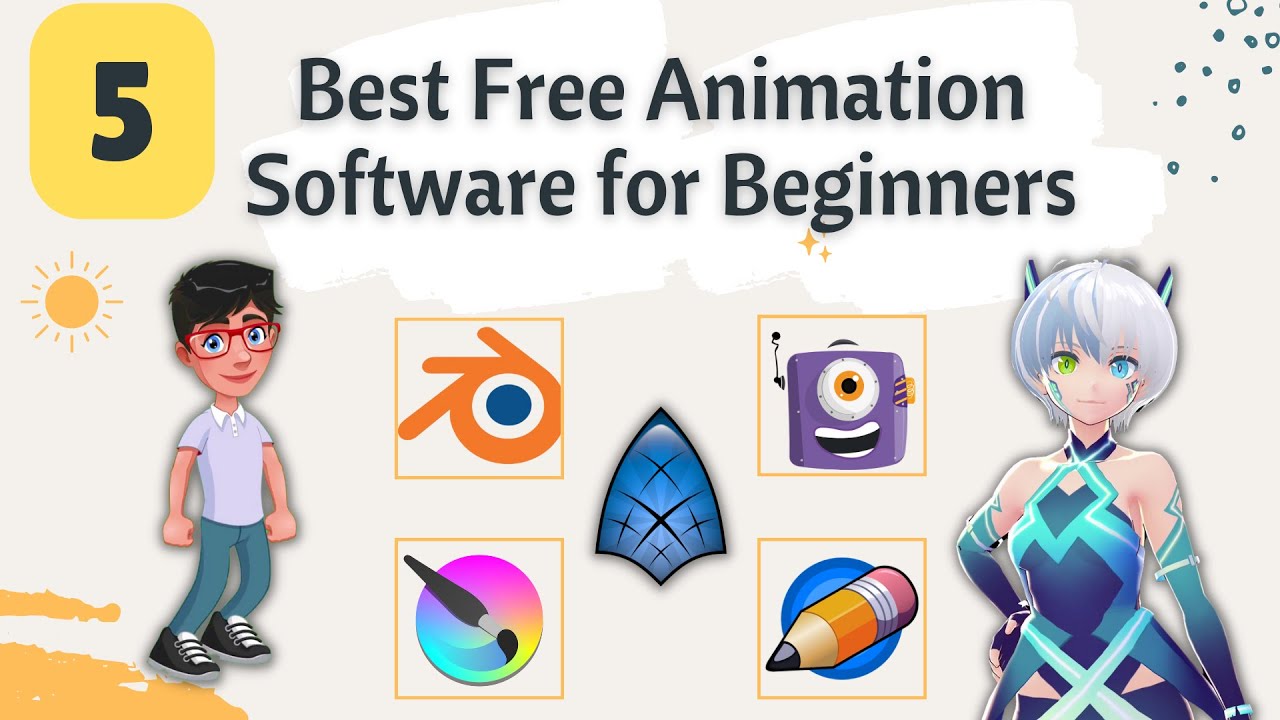
- Blender
- Adobe Animate
- Toon Boom Harmony Essentials
- Moho Debut
- Pencil2D
- Synfig Studio
- Animaker
- FlipaClip
What is animation software?
Animation software is a digital tool designed to create moving images through animation. These programs enable you to design, manipulate, and sequence graphics, allowing you to bring characters, stories, and ideas to life.
Unlike traditional animation that involves manual drawing and physical media, digital animation leverages technology to simplify the creation process.
Key Concepts:
- Digital Frame-by-Frame Animation: Create animations by drawing each frame individually.
- Keyframe Animation: Define key positions for objects and let the software fill in the gaps between these positions.
- Vector vs. Raster Graphics: Understand the difference between scalable vector graphics and pixel-based raster graphics.
- Timeline and Layers: Utilize timelines to sequence your animation and layers to organize different elements.
Animation software ranges from basic, beginner-friendly programs with simple interfaces to professional-grade applications loaded with advanced features.
For beginners, the best animation software provides an intuitive user interface, robust tutorials, and a supportive community.
This makes learning smooth and enjoyable while gradually introducing you to more complex concepts.
By investing time in understanding the fundamentals, you’ll find that digital animation not only enhances your creative skills but also opens doors to various career opportunities in multimedia design, film production, game design, and more.
With the right software, you can experiment with various animation styles from traditional hand-drawn aesthetics to cutting-edge 3D animations and discover what resonates with your artistic vision.
Why animation software is crucial for beginners?
Choosing the right animation software as a beginner is crucial to nurturing your creative talents and ensuring a smooth learning curve.
You may wonder why some software is specifically recommended for beginners. Here’s why selecting the best animation software for beginners is so important:
Accessibility and usability
- User-Friendly Interface: Beginner-oriented software is designed with a simplified interface that minimizes the learning curve. You’ll find that the tools are logically arranged, allowing you to focus on creativity rather than getting lost in complex menus.
- Step-by-Step Tutorials: Many of these programs offer in-app tutorials, video guides, and community forums to help you get started quickly.
- Cost-Effective Solutions: For beginners, free or low-cost software can be an excellent starting point before investing in professional-grade tools.
Skill Development and Growth
- Building a Foundation: Starting with beginner-friendly software lays a solid foundation. As you advance, you can gradually transition to more sophisticated tools without feeling overwhelmed.
- Creative Experimentation: With a less steep learning curve, you have the freedom to experiment, make mistakes, and learn from them without the pressure of mastering complex features immediately.
- Community Support: Many animation programs have large communities where users share tips, tutorials, and feedback. This support network is invaluable for learning and growth.
Enhancing Creativity and Productivity
- Quick Learning Curve: It helps you start producing animations quickly. With intuitive controls and clear instructions, you will spend less time troubleshooting and more time creating.
- Versatile Tools: Even beginner-level software can offer powerful features such as keyframes, timeline management, and layer organization. This versatility ensures that as your skills develop, the software grows with you.
- Inspiration and Innovation: Being able to see your ideas come to life in a digital space can spark further creativity and innovation. You’ll discover that the more you practice, the more innovative your projects become.
Ultimately, choosing the right software can be a transformative decision on your creative journey. With the right tool at your fingertips, you’ll feel confident exploring different animation styles. You’ll refine your skills, and create compelling visual stories that capture your audience.
Key Features to Look For in Animation Software
When searching for the best animation software for beginners, it’s essential to evaluate a variety of features that align with your creative needs and technical skill level. Here are some key features to look for:
An intuitive user interface
- Simplified Navigation: The software should offer a clean, organized interface where all the necessary tools are easy to locate.
- Customizable Workspaces: Look for programs that let you customize your workspace to suit your workflow. This can be especially beneficial as you become more experienced.
Comprehensive learning resources
- Tutorials and Guides: Ensure the software includes comprehensive tutorials, user guides, and community support forums.
- Video Walkthroughs: Visual learning aids like video tutorials can significantly accelerate your understanding of software functionalities.
Versatility and Flexibility
- Multi-Platform Compatibility: Choose software compatible with your operating system—be it Windows, macOS, or Linux.
- Scalability: As you improve your skills, you’ll want software with advanced features to grow into.
- Diverse Animation Techniques: Support for various animation techniques such as keyframe animation, tweening, and frame-by-frame drawing can enhance your creative options.
Performance and reliability
- Speed and Efficiency: The software should perform smoothly without lag, ensuring a responsive experience while animating.
- Stability: A reliable program with minimal crashes and bugs is crucial for maintaining your creative flow.
- Regular Updates: Look for software that receives regular updates and improvements, including new features and performance enhancements.
Community and support
- Active Community Forums: An active user community can answer your questions, share creative tips, and offer feedback on your work.
- Customer Support: Access to responsive customer support can help you resolve any issues quickly, remaining productive.
- Open Source vs. Proprietary: Depending on your budget and preferences, you might choose between open-source solutions (which are typically free) or proprietary software that offers more advanced features and professional support.
Cost and licensing
- Free Trials and Freemium Models: Many animation software options offer free trials or freemium models, which allow you to test the software before committing financially.
- Transparent Pricing: Clear pricing models help you avoid hidden costs and ensure the best value for your investment.
- Educational Discounts: Some platforms provide discounts for students and educators, making them more accessible to beginners.
By carefully considering these features, you can narrow down your choices and select the most suitable animation software for beginners that fits both your creative vision and your technical requirements.
This thoughtful approach will empower you to build a robust skill set while enjoying every step of your animation journey.
Top Animation Software Options for Beginners
When exploring digital animation, it’s vital to choose software tailored to your experience level. Here are some of the top-rated animation software options for beginners:
1. Blender
Blender is a free and open-source 3D creation suite. It has evolved into an all-in-one platform for both 2D and 3D animation.
Blender offers a robust toolset for modeling, rigging, texturing, and rendering. It also includes the innovative Grease Pencil for 2D work.
Its extensive community and frequent updates help beginners learn gradually.
This versatile tool bridges the gap between amateur experimentation and professional production
Pros and cons:
- Pros:
- Completely free and open-source.
- Versatile for both 2D and 3D animation.
- Extensive community and tutorials.
- Cons:
- Steep learning curve.
- Complex interface for absolute beginners.
Features:
- 3D modeling, rigging, texturing, and rendering.
- Grease pencil for 2D animation.
- Plugin support and regular updates.
Best for: Ideal for creative individuals who want a comprehensive, free tool to explore both 2D and 3D animation. It is suitable for users who wish to create professional-grade projects.
2. Adobe Animate
Adobe Animate is powerful 2D animation software. It is designed for creating interactive, vector-based animations.
It was formerly known as Adobe Flash. Adobe Animate provides an intuitive timeline and robust drawing tools.
It also integrates seamlessly with other Adobe Creative Cloud applications. This tool enables users to produce engaging web animations and multimedia content.
Its extensive asset library helps beginners produce polished work.
Pros and cons:
- Pros:
- Intuitive timeline and vector drawing tools.
- Extensive asset library and professional templates.
- Seamless integration with Adobe Creative Cloud.
- Cons:
- Subscription-based pricing.
- Primarily focused on 2D animations.
- Less suitable for 3D projects.
Features:
- Robust timeline editing and vector drawing.
- Interactive content creation with asset import/export.
- Integration with Photoshop and Illustrator.
Best for: Best suited to beginners focused on interactive web-based and multimedia 2D animations. It is especially valuable for those already using Adobe products.
3. Toon Boom Harmony Essentials
Toon Boom Harmony Essentials is industry-standard 2D animation software. It brings hand-drawn animation into the digital era.
This software offers a comprehensive suite of drawing, rigging, and compositing tools. It is designed to streamline the animation process.
Beginners find it accessible while advanced users enjoy its growth room. Harmony Essentials consistently delivers high-quality results with a professional appeal.
Pros and cons:
- Pros:
- Industry-standard with robust drawing and rigging tools.
- Comprehensive traditional animation suite.
- Supports both vector and bitmap workflows.
- Cons:
- Higher cost than many beginner tools.
- Steep learning curve for advanced features.
Features:
- Advanced drawing and rigging systems.
- Compositing tools with multi-layer support.
- Timeline editing and flexible export options.
Best for: Ideal for animators focused on traditional hand-drawn animation. It is suitable for those aspiring to work in professional TV, film, or web production.
4. Moho Debut
Moho Debut is intuitive 2D animation software. It is designed specifically for beginners interested in rigged character animation.
Moho Debut simplifies the process by offering pre-built character rigs. It also includes easy-to-use vector drawing tools.
This software lets you create smooth, expressive animations quickly. It provides the most ideal stepping stone for character-driven storytelling.
Beginners can upgrade their experience to more professional features.
Pros and cons:
- Pros:
- User-friendly and affordable.
- Quick rigging and pre-built character assets.
- Excellent for character-driven 2D animation.
- Cons:
- Limited advanced features compared to Moho Pro.
- Focuses solely on 2D animation.
Features:
- Pre-built character rigs and vector drawing tools.
- Easy-to-use timeline and bone rigging system.
- Automatic tweening for smooth transitions.
Best for: It is suitable for beginners who want to explore 2D rigged animation and character storytelling. It is an ideal introduction before transitioning to professional software.
5. Pencil2D
Pencil2D is free and open-source animation software. It embraces traditional hand-drawn animation.
Its minimalist interface is designed for drawing frame-by-frame. This simplicity makes it suitable for practicing fundamentals.
Pencil2D supports both bitmap and vector workflows. Users can experiment with various drawing styles. The software is lightweight and accessible for beginners.
Pros and cons:
- Pros:
- Minimalist and easy-to-use interface.
- Completely free and open-source.
- Supports both bitmap and vector workflows.
- Cons:
- Lacks advanced features.
- Infrequent updates may hinder progress.
Features:
- Frame-by-frame drawing of onion skin.
- Simple timeline editing.
- Supports both raster and vector graphics.
Best for: Ideal for beginners wanting to practice traditional hand-drawn, frame-by-frame animation. It helps build essential skills without unnecessary complexity.
6. Synfig Studio
Synfig Studio is free and open-source 2D animation software. It excels at creating vector-based animations.
Synfig automates tweening by generating in-between frames. This produces smooth motion with minimal manual drawing.
Its powerful tools include advanced gradient controls and precise line adjustments. Although the interface may challenge newcomers, its efficiency makes it highly valuable.
Pros and cons:
- Pros:
- Free and open-source with powerful vector tools.
- Automatic tweening for smooth animations.
- Cost-effective and feature-rich.
- Cons:
- The interface may be less intuitive for beginners.
- Advanced features require extra practice.
Features:
- Automatic tweening and vector-based animation.
- Advanced gradient controls and precise line adjustments.
- Support for complex layer effects.
Best for: Suitable for animators seeking smooth, professional-quality 2D animations. It is ideal for those who want to minimize manual effort while producing polished work.
7. Animaker
Animaker is a cloud-based animation platform. It is designed for the quick and easy animated video creation. Its drag-and-drop interface lets users create animations effortlessly.
Animaker offers a vast library of pre-built characters, backgrounds, and music. No installation is required, and the platform works on any device.
This simplicity makes it ideal for beginners to produce engaging content for social media and marketing.
Pros and cons:
- Pros:
- Extremely easy-to-use drag-and-drop interface.
- Rich asset library and pre-built templates.
- Accessible from any device via the cloud.
- Cons:
- Limited customization compared to desktop software.
- Requires a premium features subscription.
Features:
- Drag-and-drop editor with pre-built templates.
- Extensive asset library for characters, backgrounds, and music.
- Cloud accessibility and quick export options.
Best for: Suitable for creating social media, marketing, and educational animated videos quickly. It is ideal for users who need an accessible platform without extensive technical skills.
8. FlipaClip
FlipaClip is a mobile-friendly 2D animation app. It is designed for on-the-go creativity. The app provides a simple, touch-optimized interface.
This makes creating a frame-by-frame video intuitive and fun. FlipaClip allows image import, audio addition, and multiple export formats.
It offers both free and paid options. Its design and community support cater to young creators and beginners.
Pros and cons:
- Pros:
- Optimized for mobile devices with a touch-friendly interface.
- Intuitive and simple for quick sketches.
- Active community support and sharing options.
- Cons:
- Lacks the advanced features found in desktop software.
- Some functions require in-app purchases.
Features:
- Frame-by-frame drawing with touch controls.
- Image and audio import capabilities.
- Multiple export formats and community contests.
Best for: Suitable for young creators and mobile users. It is ideal for those who want a straightforward, fun platform to create and share simple animations on the go.
Comparison Chart of Animation Software for Beginners
Below is a table that summarizes key features, pricing, and usability factors for the top animation software options:
| Software | Price | Interface | Key Features | Best For |
|---|---|---|---|---|
| Blender | Free | Complex but powerful | 3D modeling, 2D animation, extensive plugins | 3D and 2D animation enthusiasts |
| Adobe Animate | Subscription | Intuitive, modern | Vector drawing, timeline animation, interactivity | Interactive web and multimedia projects |
| Toon Boom Harmony | Subscription | Industry-standard | Rigging, drawing, compositing | Professional-grade 2D animation |
| Synfig Studio | Free | Dated yet effective | Automatic tweening, vector-based animation | Beginners focused on smooth 2D animation |
| Pencil2D | Free | Minimalistic | Traditional hand-drawn animation | Classic 2D animation style |
| Moho Debut | Affordable | Beginner-friendly | Character rigging, asset library | Quick-start, high-quality 2D animation |
Tips and Tricks for Getting Started with Animation Software
Now that you’re familiar with the various tools available, here are some actionable tips to help you hit the ground running with the best animation software for beginners:
- Start Small: Begin with simple projects. Focus on mastering basic techniques such as keyframing and frame-by-frame drawing before moving on to more complex animations.
- Leverage Tutorials: Take advantage of the multitude of tutorials available on YouTube, the software’s official website, and community forums. Consistent practice guided by expert advice will accelerate your learning curve.
- Join a Community: Become part of online forums and social media groups dedicated to animation. This is a great way to share your work, receive feedback, and gain insights from fellow animators.
- Practice Regularly: Dedicate time each day or week to practice your animation skills. Regular practice not only helps you improve but also builds your confidence in using the software effectively.
- Experiment with Different Styles: Don’t be afraid to try various animation styles. Experimenting will help you discover what you enjoy most and might even inspire a unique artistic style that sets you apart.
- Stay Updated: Software updates often include new features and improvements. Keep your animation software up to date to benefit from the latest tools and enhancements.
- Plan Your Projects: Before diving into an animation, sketch out a storyboard or outline your ideas. Planning helps streamline the animation process and ensures your creative vision remains clear throughout your project.
- Use Shortcuts: Learn keyboard shortcuts and customize your workspace. These small efficiencies can significantly speed up your workflow as you become more familiar with the software.
- Seek Feedback: Don’t hesitate to share your work with peers or mentors. Constructive criticism is invaluable in refining your techniques and enhancing the overall quality of your animations.
- Have Patience: Animation is a skill that takes time to master. Embrace the learning process, and remember that every small improvement is a step forward on your creative journey.
By following these tips, you’ll be well on your way to creating stunning animations that captivate your audience. The journey of learning animation can be challenging, but with persistence, curiosity, and the right software, you’re destined to achieve remarkable results.
Conclusion
Animation is a fun journey, and you can make your creative visions come to life with the right tools. Animators aren’t born, they’re made. You can let your imagination run wild, embrace the process, and experiment without fear.
Practicing consistently and learning from your successes and failures will help you master it. Engaging with the animation community can give you a lot of insight and inspiration. You can share your work, exchange tips, and get motivation from other artists.
Check out our newsletter for more tips, tutorials, and industry updates if you found this guide helpful. Please leave a comment below sharing your favorite animation tool or any questions you have.
Not only does your feedback help you grow, but it also helps others choose the right animation software. Now’s the time to get creative and create animations that captivate and inspire. Get started animating today and watch your artistic dreams come true!
Happy animating!
Frequently Asked Questions (FAQ)
What makes animation software beginner-friendly?
Beginner-friendly animation software typically offers an intuitive interface, clear tutorials, a supportive community, and scalable features that grow with your skills. These characteristics ensure you can start simple and gradually tackle more complex projects.
Do I need a powerful computer to run these animation programs?
While some advanced software like Adobe Animate or Blender may require higher-end hardware for smooth performance, many beginner-friendly programs such as Pencil2D or Synfig Studio are optimized to run on less powerful machines. Always check system requirements before downloading.
Are free animation software options effective for learning?
Yes, many free and open-source animation software options, like Blender and Pencil2D, are excellent for beginners. They provide robust features and a supportive community, allowing you to learn and create high-quality animations without initial financial investment.
Can I transition to professional animation software later?
Absolutely. Many beginners start with free or simple software and then move on to professional-grade tools as their skills develop. This gradual transition is common and allows you to build a solid foundation without feeling overwhelmed.
How do I decide which animation software is right for me?
Consider your goals, budget, and the type of animation you want to create. Review the features, tutorials, and community support available for each software option. Experiment with free trials to determine which tool feels most intuitive and aligns with your creative needs.
Where can I find additional resources for learning animation?
There are numerous online resources available, including YouTube tutorials, official documentation, online courses, and forums. Websites such as Animation Mentor and Blender Guru are excellent starting points for in-depth learning and community engagement.
Hello there, I discovered your website via Google
whilst searching for a related topic, your website got
here up, it appears to be like good. I have bookmarked it in my google bookmarks.
Hello there, simply turned into alert to your blog through Google,
and located that it is truly informative. I am gonna watch out for brussels.
I will be grateful if you continue this in future.
Lots of folks will be benefited from your writing.
Cheers!